Courier Management Software: What It Does, What It Costs and How to Choose
What courier management software does, the two kinds, real prices and five questions for choosing one.


Drivers capture a photo, a signature or a note at every stop, and you see it on the route the moment it happens. Included in every Optiway Dispatch plan, for teams of up to 20 drivers.
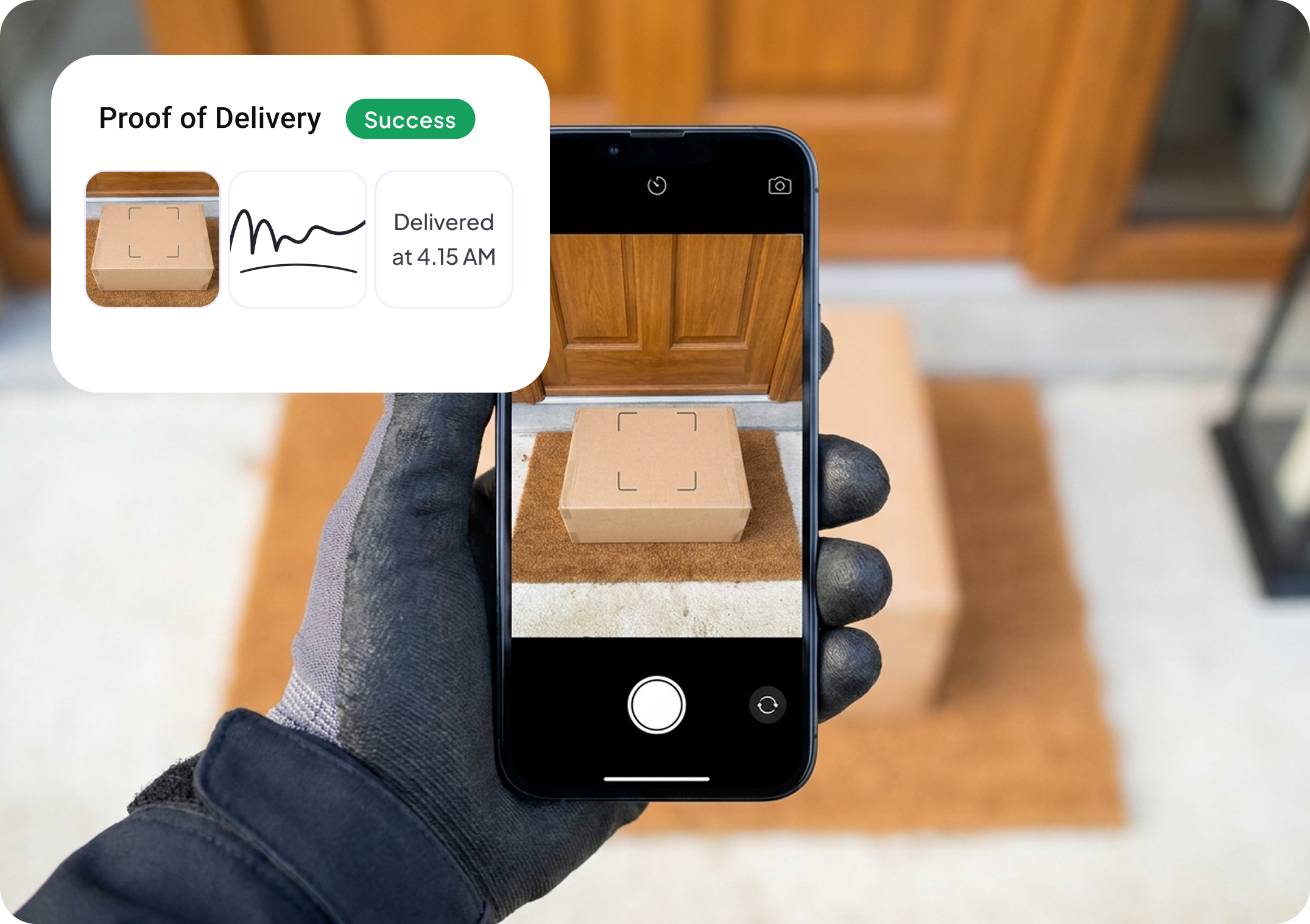
"It never arrived." For a small delivery team that sentence costs an hour: find the driver, ask what they remember, scroll a chat for a photo. A proof of delivery app turns that hour into a lookup. The driver records what happened at the door, and the record sits against that stop for anyone in the office to open.
Optiway's proof of delivery is part of the driver app and the Dispatch dashboard. It is built for delivery teams of up to 20 drivers who need evidence for every stop without paying for an enterprise platform.
Most small teams already collect proof. It just ends up in places nobody can search.
Find the driver, ask what they remember, scroll a chat for a photo.
The office learns a parcel was not delivered when the customer phones.
The photo exists, on the driver's camera roll, until they change phones.
Someone copies "done" messages into the sheet before invoicing.
A client asks about one Tuesday drop and nobody can show what happened.
A proof of delivery app is a mobile app a driver uses to record that a delivery was made: a photo of the parcel where it was left, a signature from the person who received it, or a written note. The record is saved with the stop and the time, so the company can show a customer or a client what happened.
It is also called electronic proof of delivery, or ePOD. It replaces the paper slip the driver used to bring back, and the photo that used to live only on the driver's phone.
At each stop the driver marks the delivery done and records whichever suits it. All of it happens in the same app they navigate with.
Nothing is sent by chat and nothing has to be copied into a sheet at the end of the day.
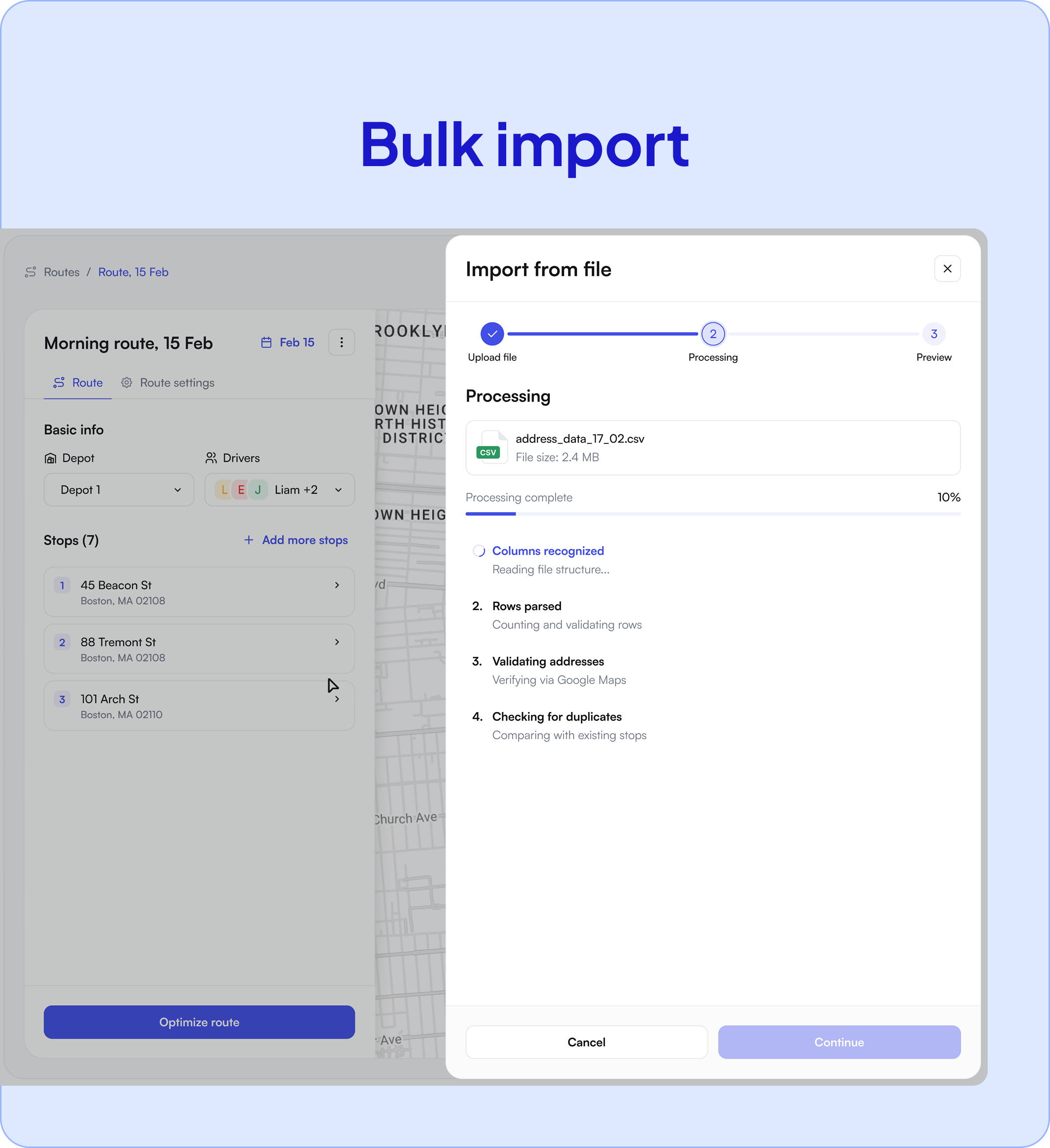
Most small teams receive their stops as a spreadsheet from a client or a shop, and no two clients lay it out the same way. Optiway's smart import uses AI to read the header and a few sample rows of the file and work out which column is the address, the recipient, the phone number, the time window, and whether proof of delivery is required.
That means a client's own file can carry the instruction. If their sheet has a column that says "signature required", the stops arrive in Optiway with proof already switched on. Our guide to route planning with CSV and Excel import covers the file formats.
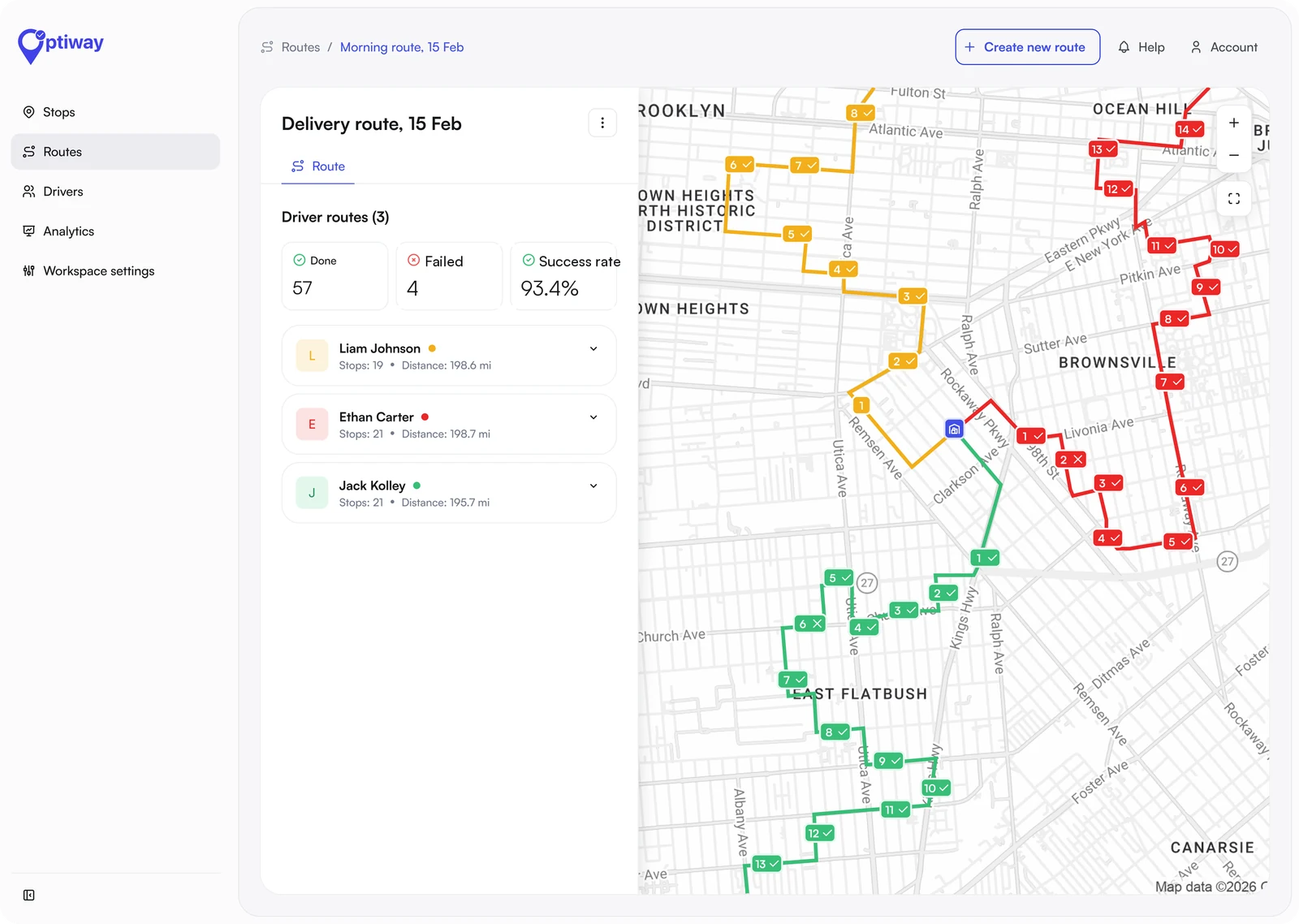
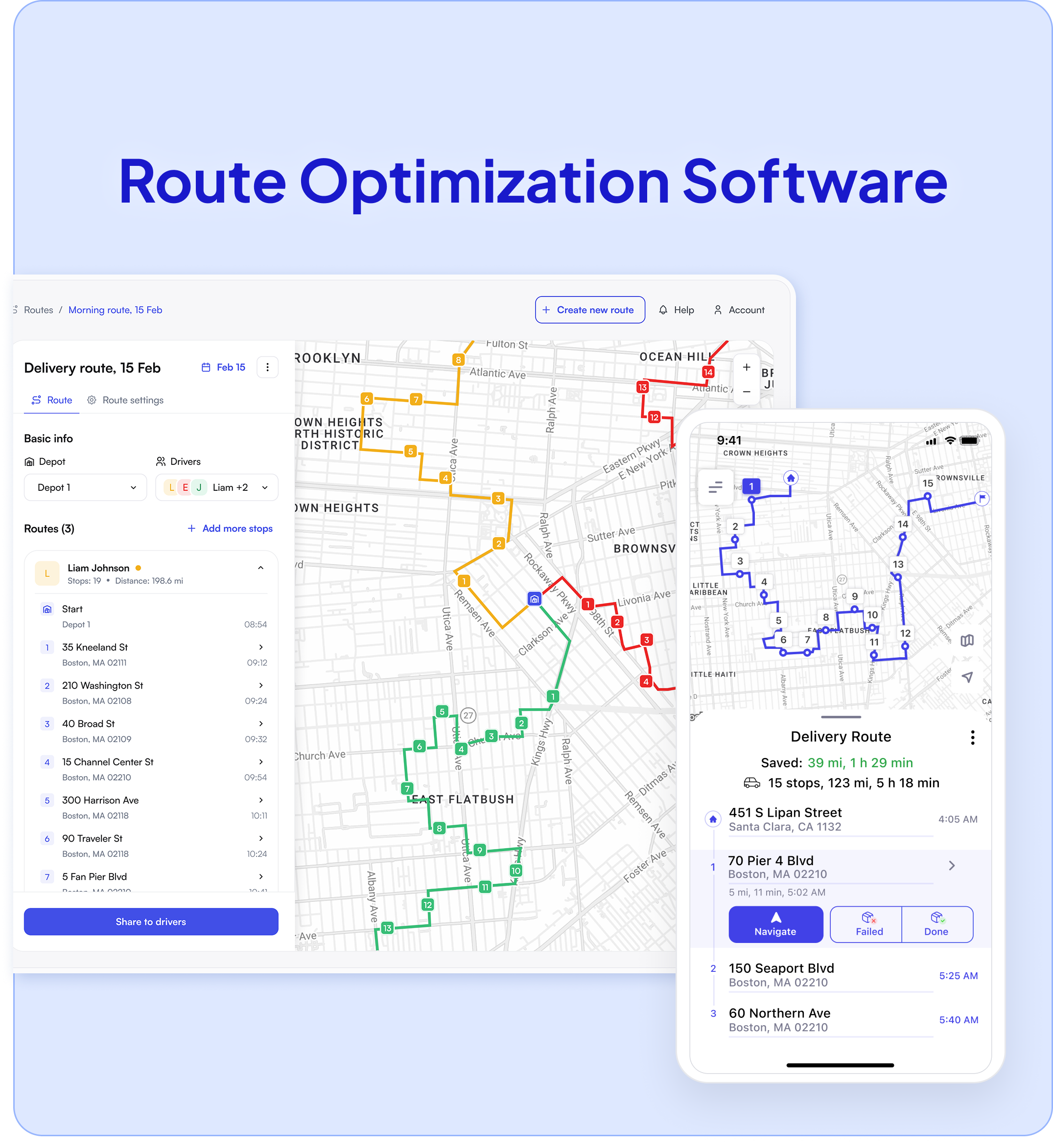
The dispatcher sees proof in two places. On the route board, each completed stop shows whether proof is attached, next to its done or failed status. In the stop's details, the photo or signature opens with the driver's note and the time of delivery.
When a customer calls three weeks later, you open the route for that date, open the stop, and read out what the record shows. A dispute becomes a lookup instead of an argument about what a driver remembers.
There is no add-on and no charge per driver. You pay for stops, so a team of 4 and a team of 20 pay the same for the same volume.
For comparison, on a tool priced per driver at $49 a seat, a team of 10 pays $490 a month before it delivers a parcel. Full details are on the pricing page.
Proof of delivery is sold as a feature of route and dispatch software, and the details differ more than the feature lists suggest.
Three limits, so you can rule it out quickly if they matter:
What is coming: an AI dispatcher that assigns and rebalances work for you is in development. Today the AI in Optiway is the smart import described above and an AI assistant in the dashboard that answers questions with the context of your account. To see where proof of delivery sits in the wider choice of tools, read our guide to courier management software.
A proof of delivery app is a mobile app a driver uses to record that a delivery was made, with a photo, a signature or a note. The record is saved against the stop with the time, so the company can show what happened.
A photo, a signature or a note, at each stop. A failed delivery is recorded with the reason. Optiway does not scan barcodes.
Yes. Proof of delivery is switched on per stop. A dispatcher can set it on a stop, or the spreadsheet import can set it from a column in your file.
In Optiway Dispatch proof of delivery is included in every plan: free for 300 stops a month, $99 a month for 2,000 stops and $199 for 5,000, each with unlimited drivers. Tools priced per driver typically charge from about $49 a driver a month.
No. In Optiway, drivers confirm deliveries in the same driver app that shows the route and opens navigation, and the app is covered by the company plan.
Not automatically. The record is stored against the stop and the dispatcher can open it at any time. Text and email notifications to recipients are planned and not available yet.
Import a spreadsheet, send two drivers their routes and collect the first photos today.
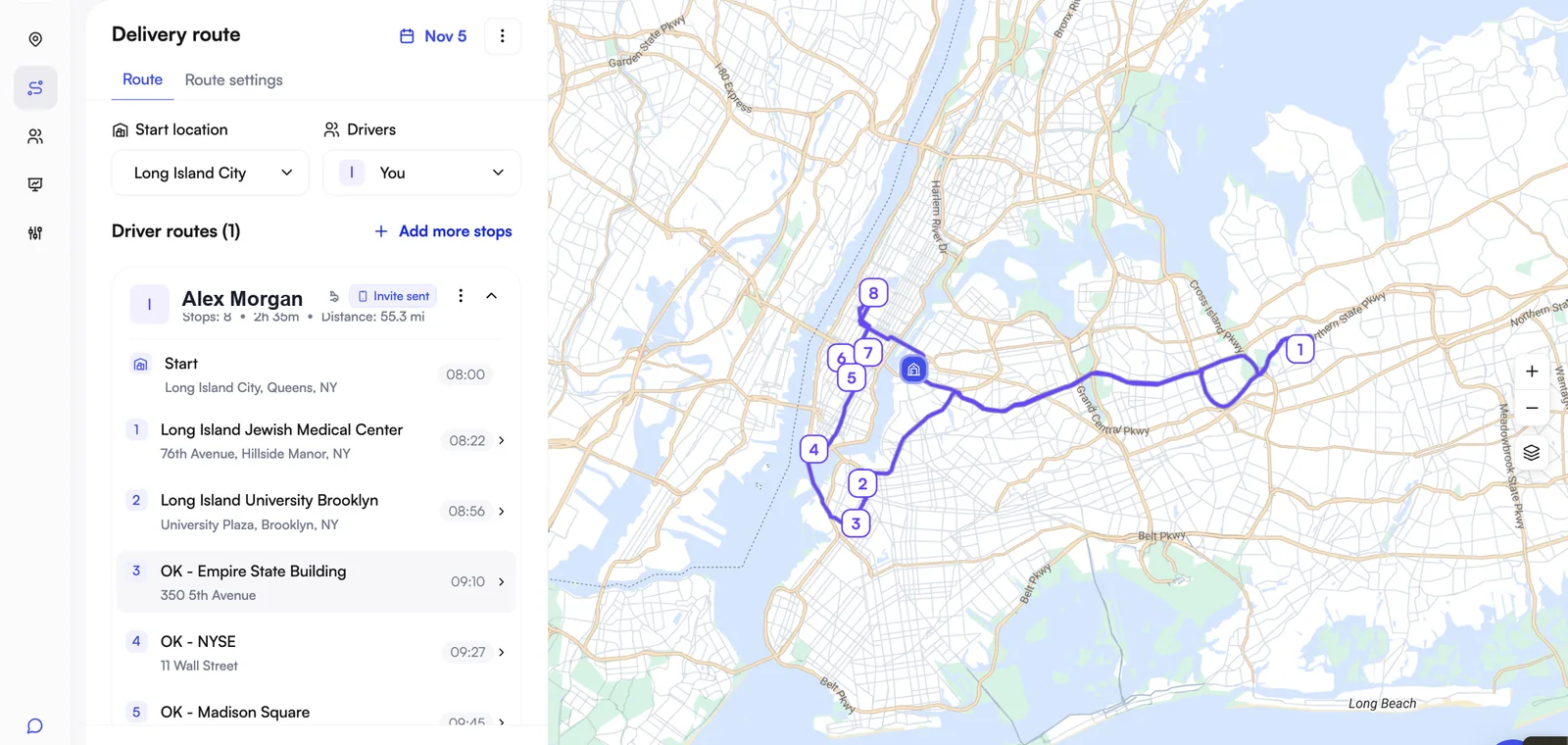
Courier Management Software: What It Does, What It Costs and How to Choose
What courier management software does, the two kinds, real prices and five questions for choosing one.
Best Courier Dispatch Software for Small Courier Companies in 2026
Eight courier dispatch tools compared on price for 3, 5 and 10 drivers, free plans, and routes vs on-demand jobs.
Onfleet Alternatives for Small Courier and Delivery Teams in 2026
Seven Onfleet alternatives priced for 3, 5 and 10 drivers against Onfleet's $619 Launch plan.