Best Courier Dispatch Software for Small Courier Companies in 2026
Eight courier dispatch tools compared on price for 3, 5 and 10 drivers, free plans, and routes vs on-demand jobs.

Business
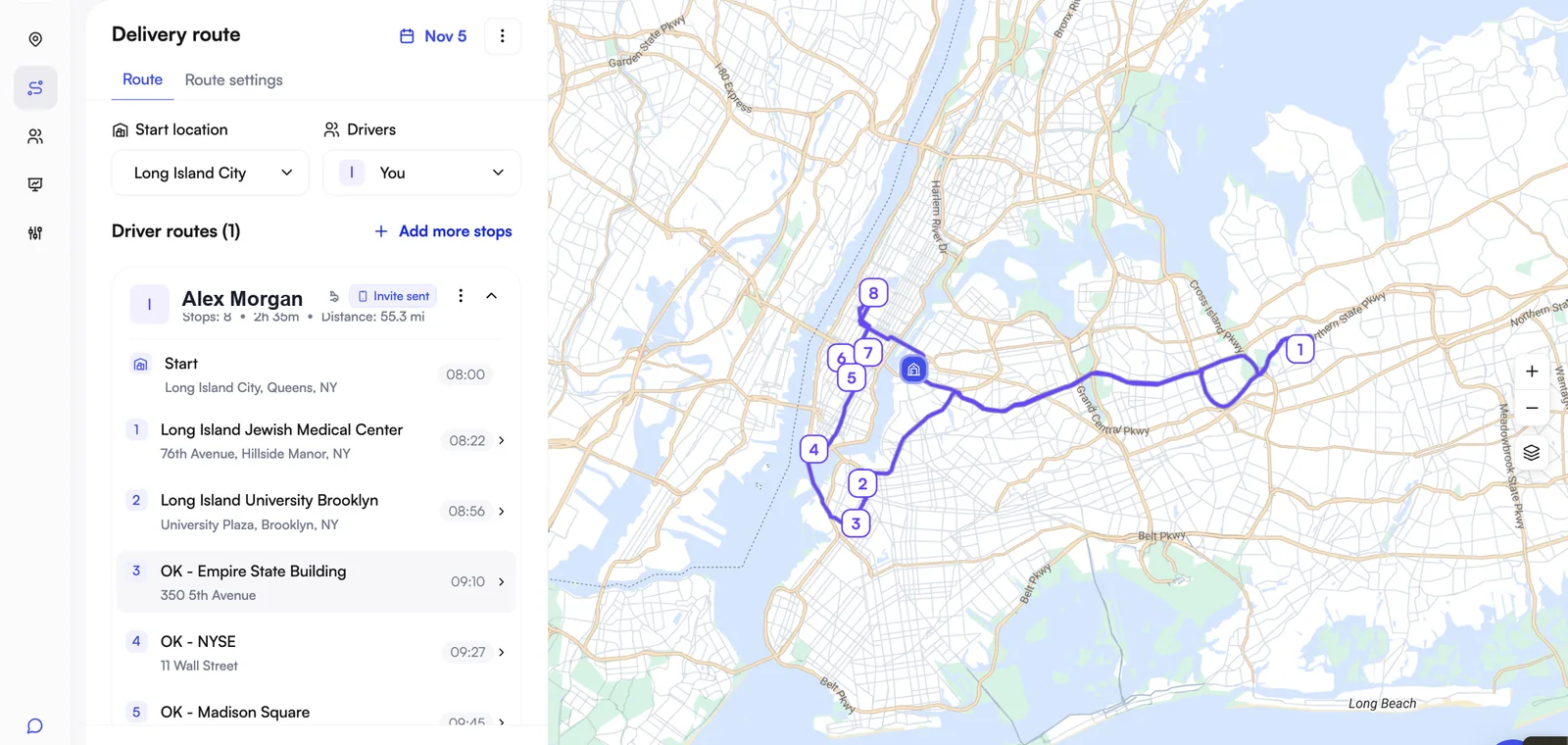
A courier company with four vans can run for years on a spreadsheet, a group chat and a clipboard of signed slips. Then a client asks for proof that Tuesday's parcel arrived, a driver calls in sick at 7 a.m., and the person who "knows the routes" is on holiday. Courier management software is the system that takes over those jobs: it plans the routes, sends them to drivers, shows where every van is, and keeps a record of each delivery.
This guide explains what courier management software does, the two kinds sold under that name, what it costs for a small team, and how to choose one. Prices are US list prices from each vendor's own pages, checked on 16 November 2026.
Courier management software is a system a courier company uses to plan delivery routes, assign them to drivers, follow each delivery while it happens, and record proof that it was made. It replaces the spreadsheet, the group chat and the paper delivery slip with one place where the dispatcher, the drivers and the records all meet.
The names overlap. Vendors sell the same category as courier software, courier dispatch software, a courier management system or delivery management software. The differences are in emphasis: "dispatch" tools lead with assigning work to drivers, "management" suites add billing and customer accounts on top. If you plan and run routes, they are the same shortlist. We compare eight of them by price in best courier dispatch software for small courier companies.
Most small courier companies already have a system. It is made of four things that do not talk to each other:
Software earns its price when it removes the retyping between these four. The stop list becomes the route, the route becomes the driver's day, and the driver's taps become the delivery record.
Whatever the vendor calls its modules, courier management software does six jobs. A small company needs all six to work; it does not need all six to be deep.
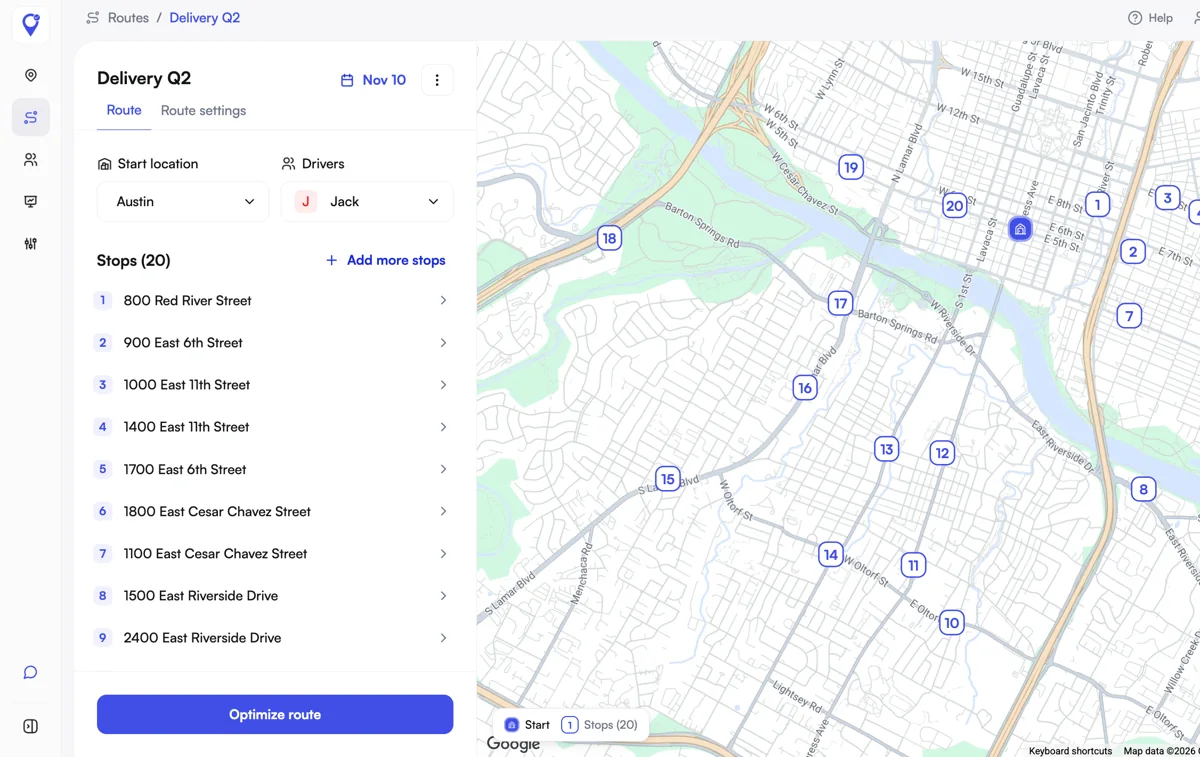
Stops reach the system in one of three ways: typed in, imported from a file, or sent by another system through an API. For a courier working from a client's manifest, file import matters most. Check which formats are accepted and what happens to an address the tool cannot find. Optiway Dispatch imports csv, xls and xlsx files and has an API for creating stops; our guide to route planning with CSV and Excel import covers how to prepare the sheet.
The software puts the stops in the order that takes the least driving and splits them between drivers. This is where the hours come back: a plan that took a dispatcher an hour by hand takes a click. Look for time windows, a choice of start and end points, and the ability to re-run the plan when a stop is added.
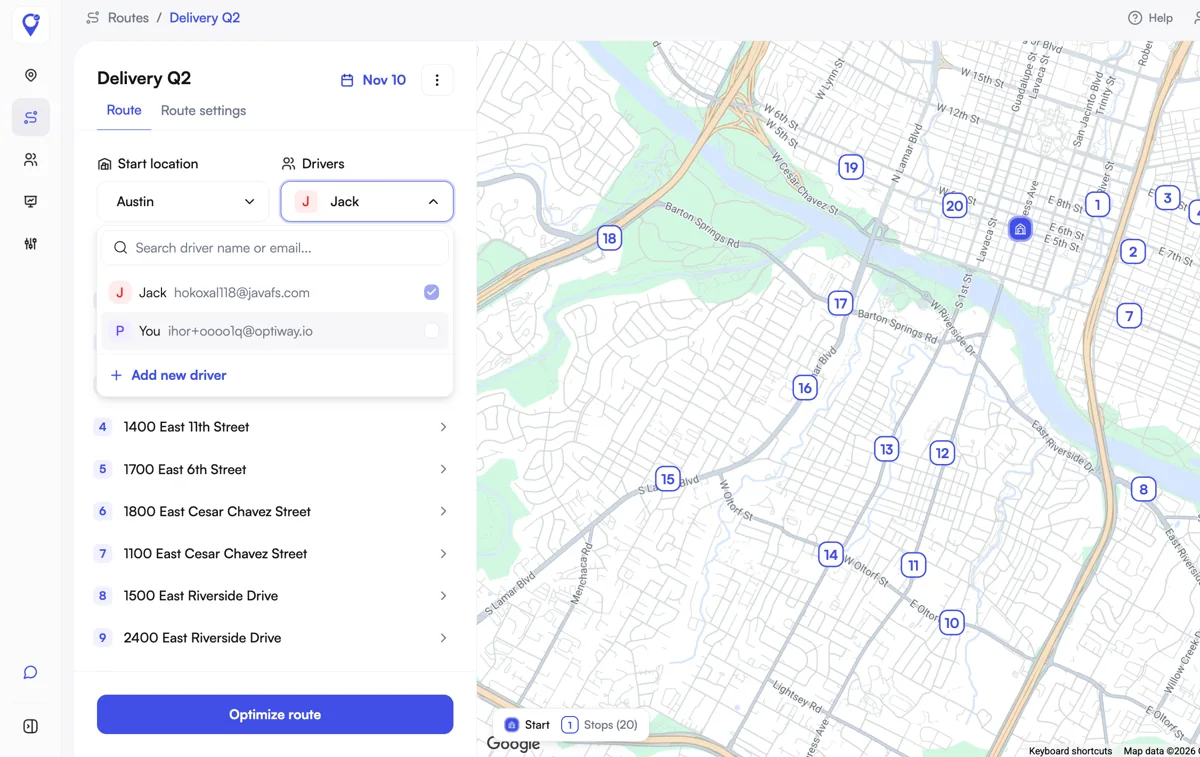
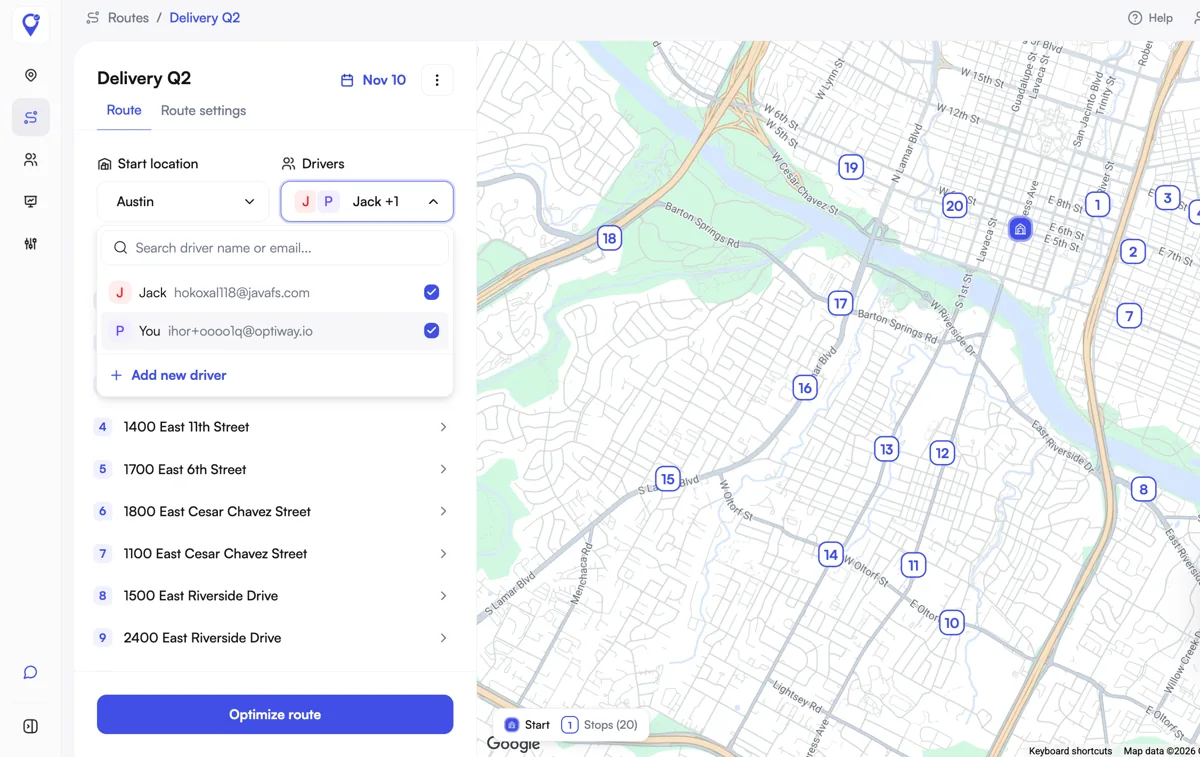
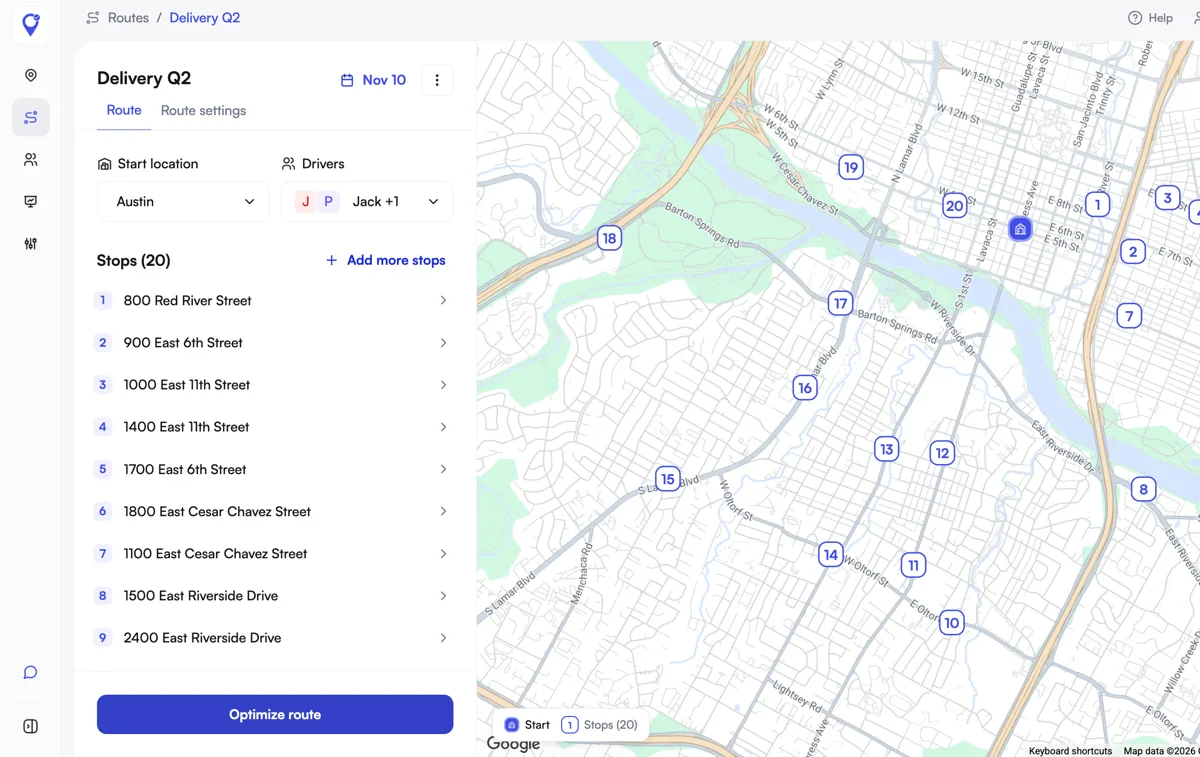
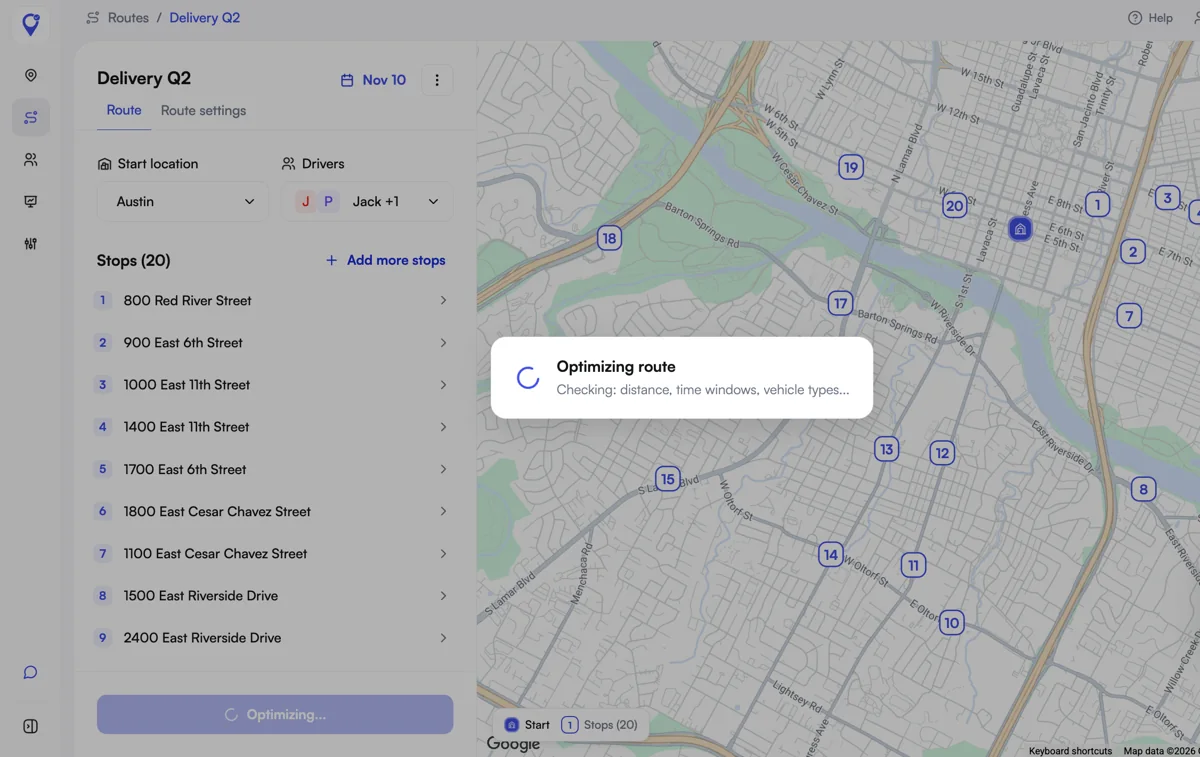
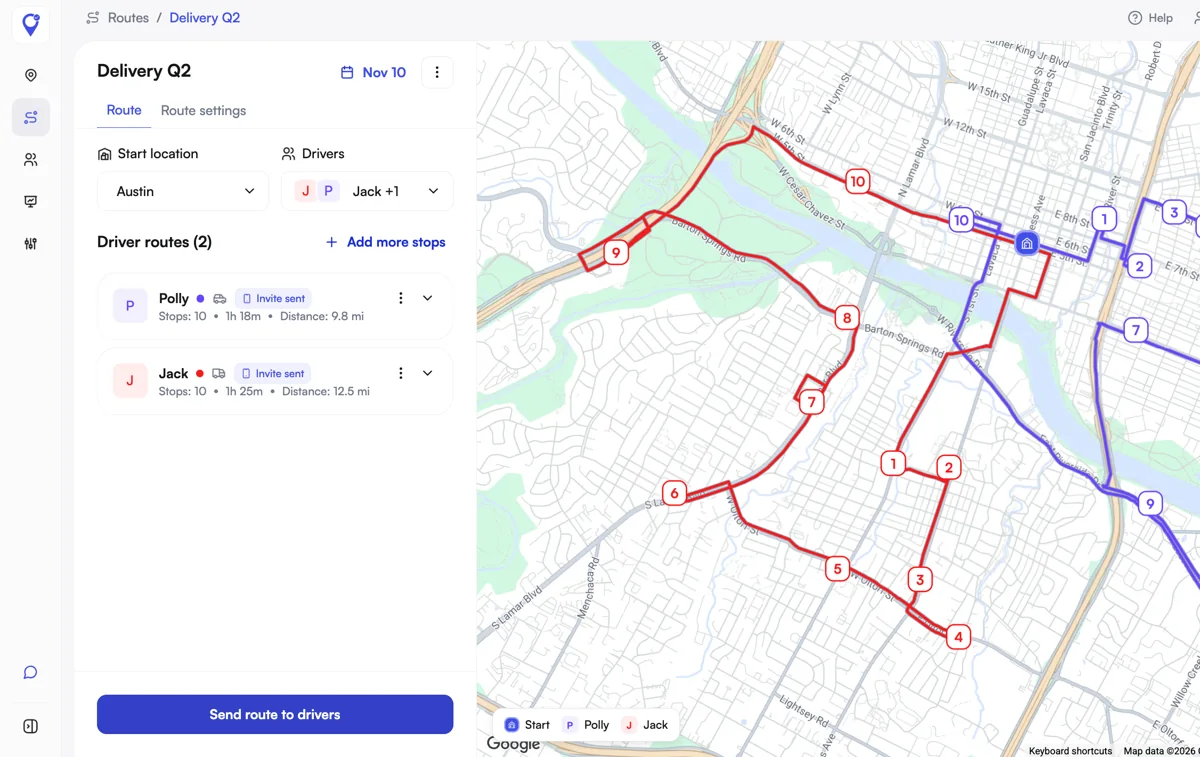
Each driver gets the route in an app on their own phone, with the stops in order and a button to open navigation. Ask who pays for the driver app and whether a driver needs an account you have to buy. In Optiway the driver app is covered by the company's plan, and drivers navigate in Apple Maps, Google Maps or Waze.
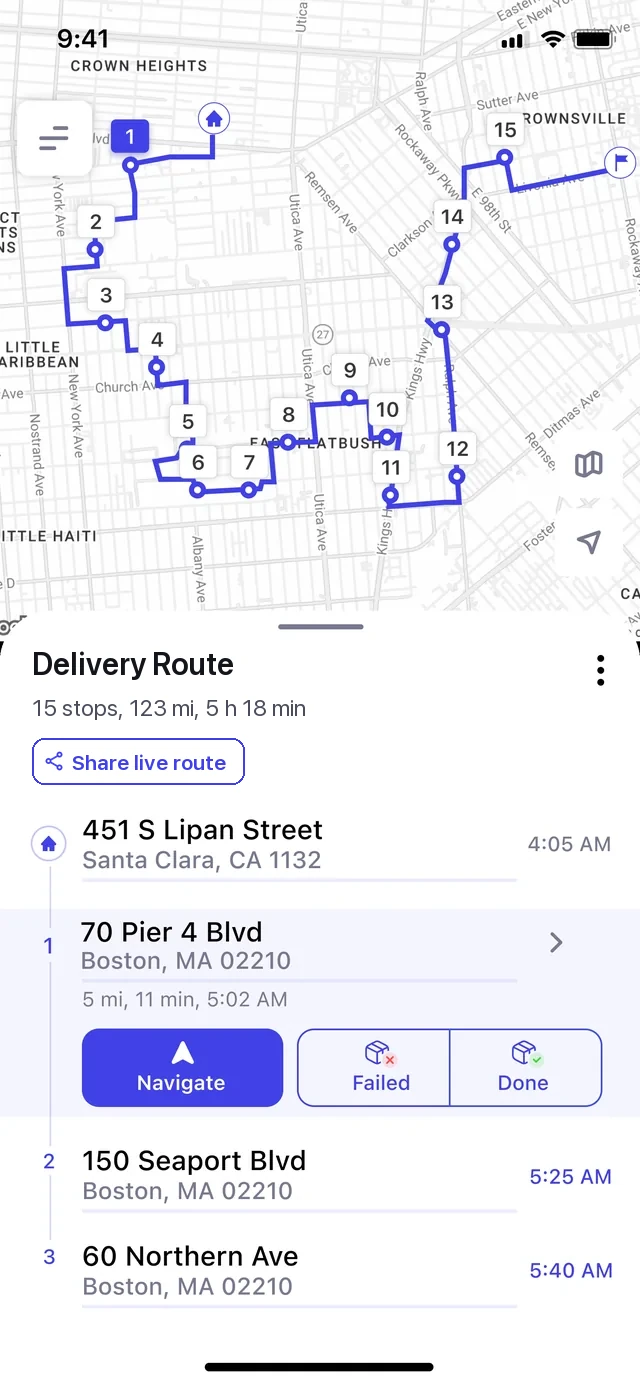
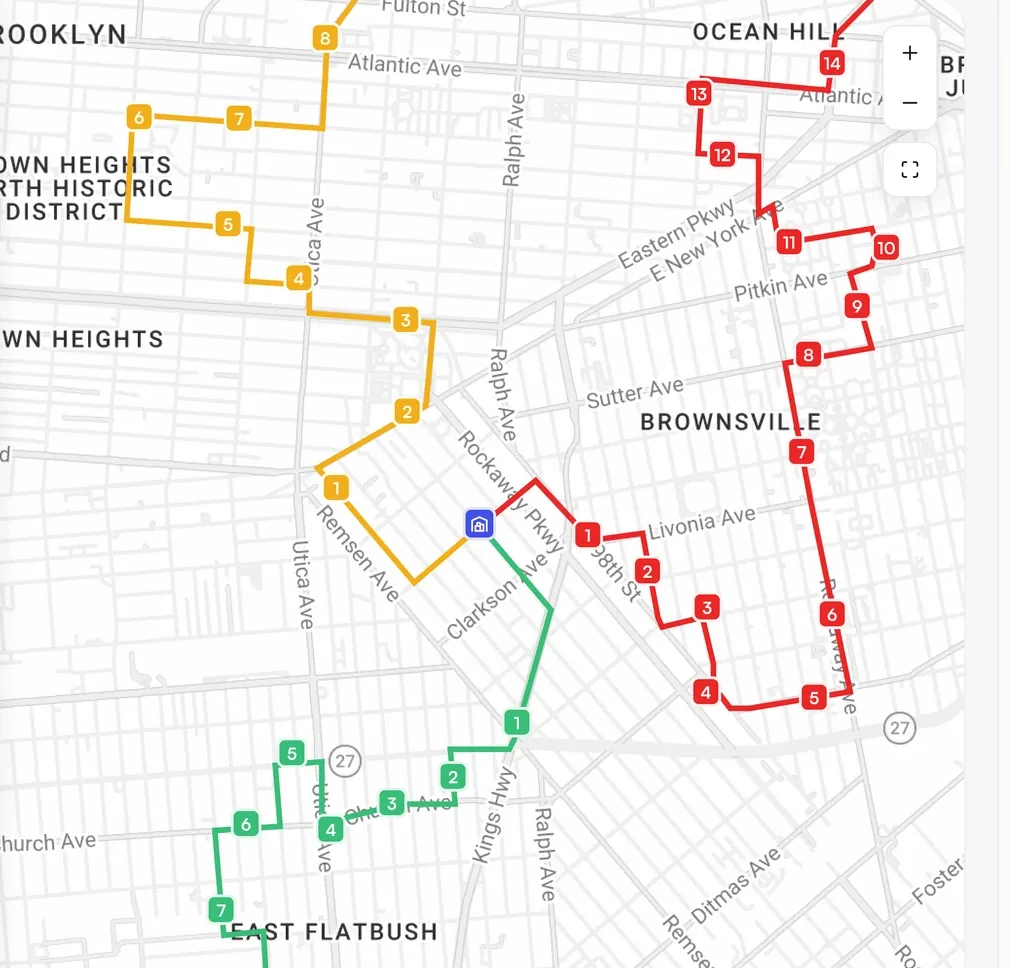
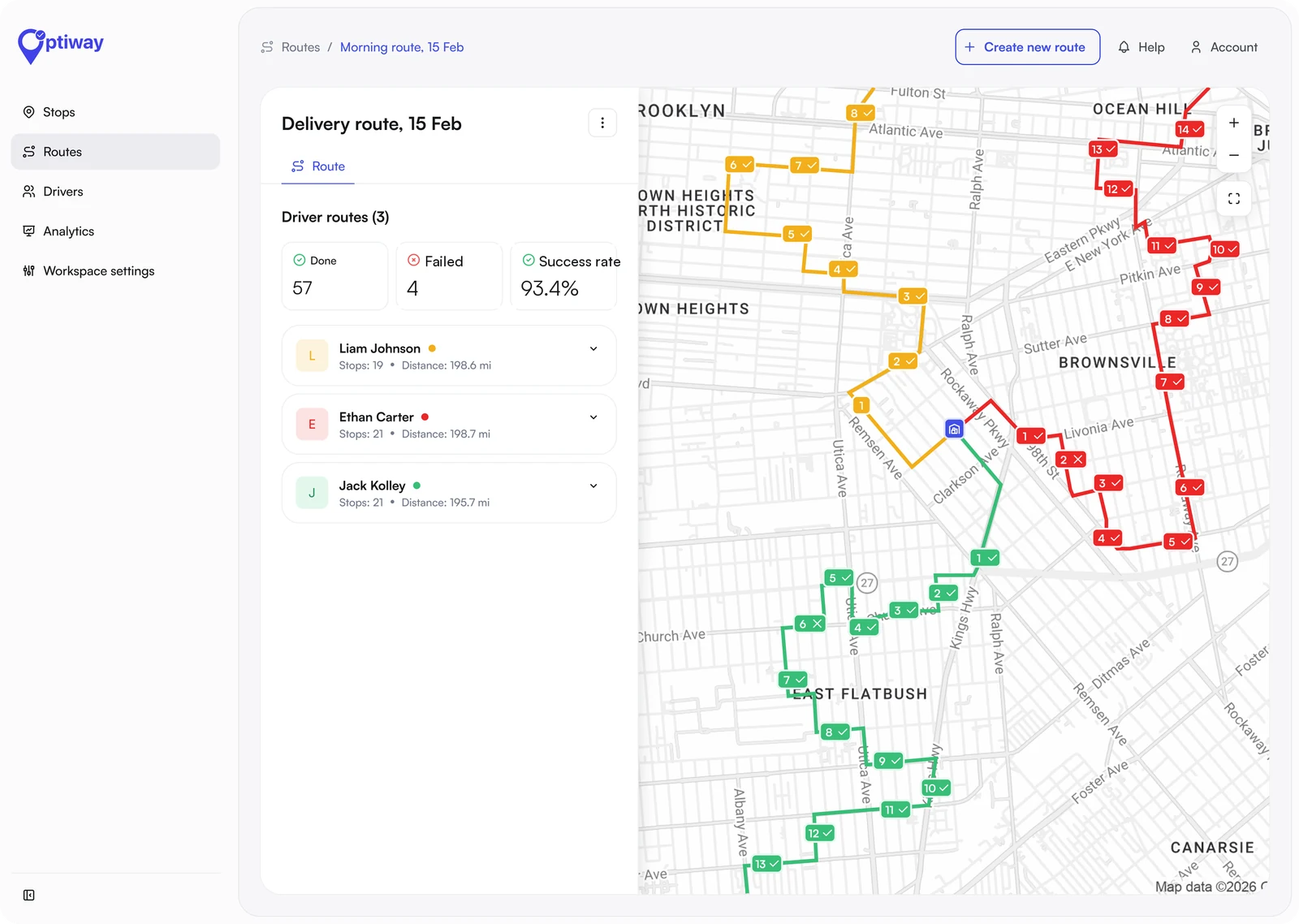
The dispatcher sees every driver on a map and which stops are done, failed or still to come. This is what ends the "where are you?" calls. It also lets you move stops from a driver who is running late to one who is ahead while both are on the road.
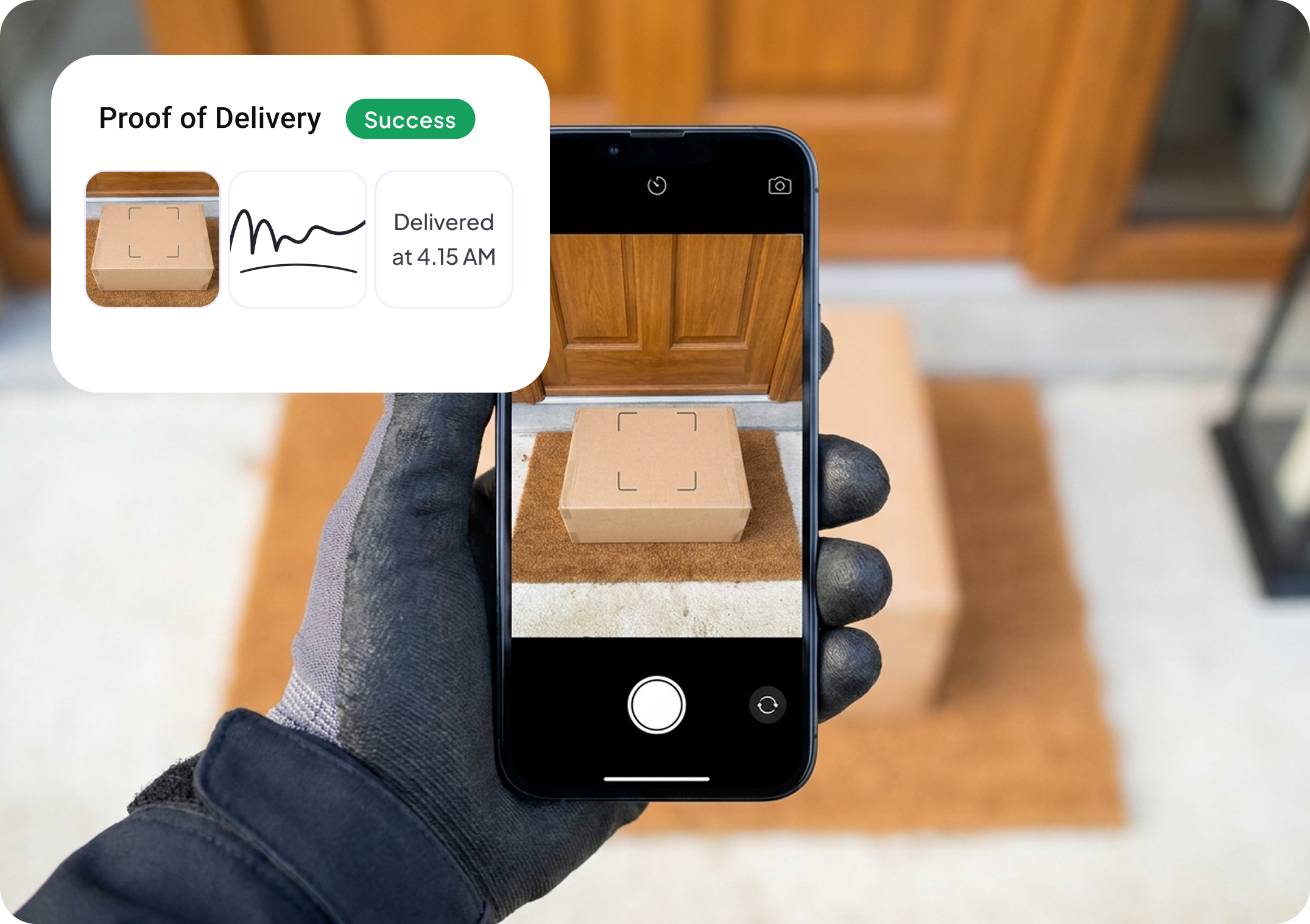
The driver confirms each stop in the app and the record is saved against that stop: who delivered it, when, and the evidence. Tools differ in what the evidence can be. Optiway records a photo, a signature or a note, and a dispatcher can require proof on the stops that need it. If your contracts call for barcode scanning, check that specifically, because not every tool has it. How it works in Optiway is on the proof of delivery app page.
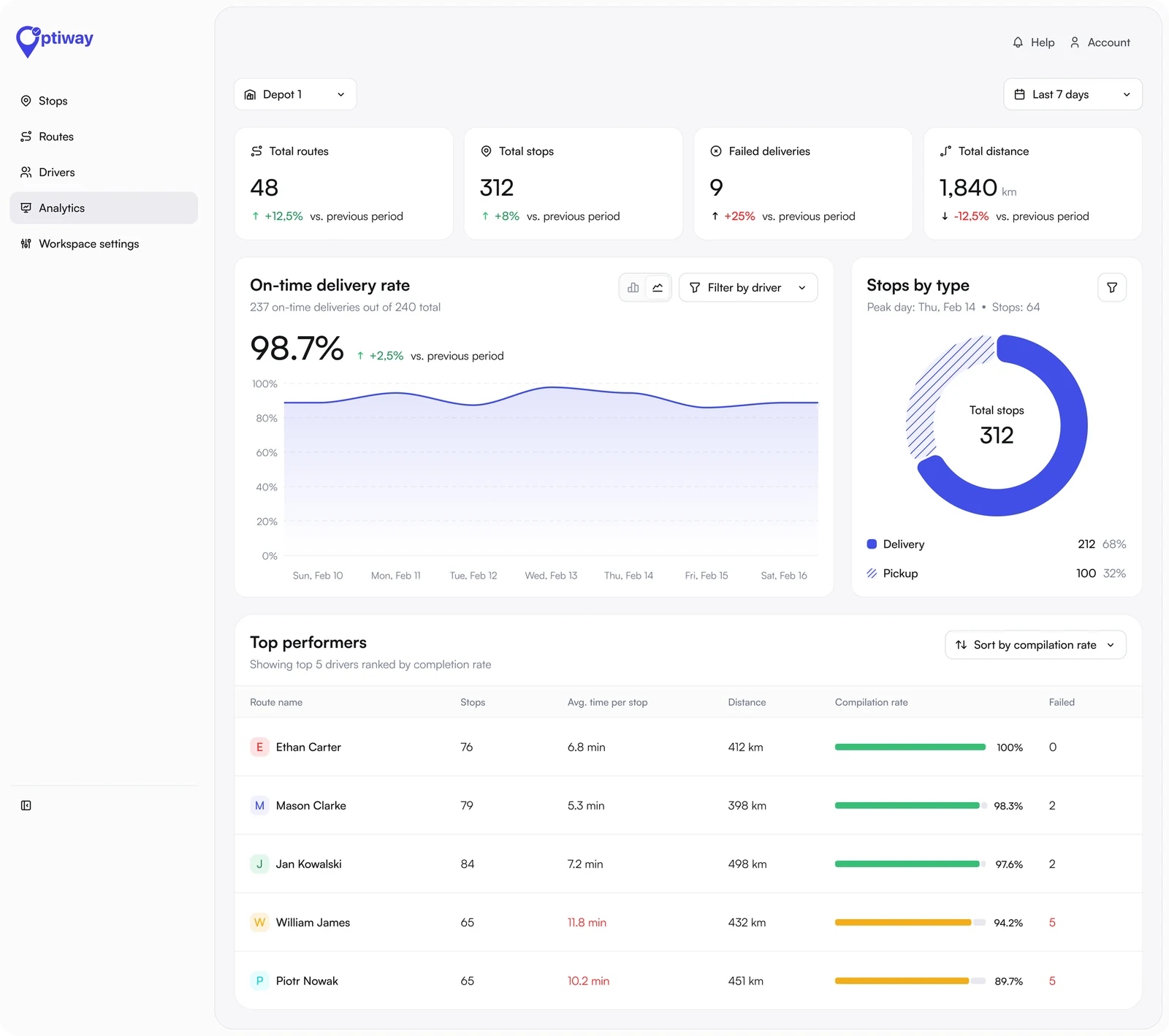
At the end of the day the system knows what was planned and what happened. That gives you on-time rate, failed deliveries and a per-driver view without anyone filling in a sheet. For a courier this is also what you show a client at contract renewal.
The six jobs above run the delivery day. Larger suites, built for couriers with a dispatch desk and a billing clerk, add the business around it:
A three-van company rarely needs these on day one, and they are what push a price from tens of dollars a month to hundreds. Buy them when a contract demands them. A medical or pharmacy courier may need scanning and chain-of-custody records from the start; a parcel courier working from a client's manifest usually does not.
One name covers two different products, and choosing the wrong kind is the most common mistake.
Route-based software is for work you know before the vans leave: a client's manifest, yesterday's orders, a standing round. You import the stops, optimize, and send each driver a route. Optiway Dispatch, Spoke Dispatch and Track-POD work this way.
On-demand software is for work that arrives during the day. A customer books a job, the system prices it and offers it to the nearest free driver, and the job is invoiced from the same system. OnTime 360, Onro and CXT Software work this way.
Your invoice tells you which you are. If you bill a client a monthly rate or a price per stop, you run routes. If you bill each job at its own price, you run on-demand work and need the billing that comes with it.
Courier management software is priced in three ways, and the model matters more than the headline number.
| Tool | How you pay | List price |
|---|---|---|
| Optiway Dispatch | Per stop, unlimited drivers | Free up to 300 stops a month; $99 for 2,000; $199 for 5,000 |
| Shipday | Per order | Free up to 300 orders a month with 10 driver accounts; paid plans above that |
| Spoke Dispatch | Per stop | $125 a month for 1,000 stops; 7-day trial |
| Track-POD | Per driver | $49 per driver a month, three-driver minimum; 7-day trial |
| OnTime 360 | Per shipment | $49 a month for 100 shipments; $99 for 250 |
| Onro | Per delivery | $239 a month for 1,500 deliveries |
| Onfleet | Per task | $619 a month for 2,500 tasks; $1,349 for 5,000 |
| CXT Software | Quoted | From $600 a month |
For a courier with five drivers and 2,000 stops a month, that works out at $99 on Optiway's Team plan, $245 on Track-POD (five drivers at $49), and $619 on Onfleet's entry plan. The full working, with columns for 3, 5 and 10 drivers, is in our courier dispatch software price comparison.
Two costs are easy to miss: a charge for each text message sent to recipients, and a minimum number of seats. Read the pricing page for both before a trial.
Five questions narrow the field to two or three tools.
Then run one real day. Import yesterday's stops, send two patient drivers their routes in the app, and keep the old method running beside it. Compare the planned order with what the drivers would have chosen, and move one stop between them while they are out. A free plan or a trial is enough for this.
Optiway Dispatch is ours, so here is a plain account of what it is for. It is route-based courier management software for small teams that plan the day in advance.
What it does. You import a csv, xls or xlsx file or add stops by hand, set time windows, and optimize routes across all your drivers in one click. Routes go to the Optiway driver app. You follow every driver on a live map, move stops between drivers during the day, and each stop is confirmed with a photo, a signature or a note. Analytics show on-time rate, failed deliveries and a table per driver.
What it costs. Free for 300 stops a month, $99 a month for 2,000 stops and $199 for 5,000. Every plan includes every feature and unlimited drivers and dispatchers. See pricing.
What it does not do. It does not price jobs or invoice your clients, so an on-demand courier that bills per job needs a different kind of tool. Text or email notifications to recipients and a branded tracking page are planned and not available yet. Proof of delivery is a photo, a signature or a note, not a barcode scan.
If that matches how you work, the page on courier dispatch software for small business shows the product in more detail, and Onfleet alternatives compares it with the larger platforms.
Courier management software is a system a courier company uses to plan delivery routes, assign them to drivers, track each delivery live and record proof of delivery. It replaces spreadsheets, group chats and paper slips with one system shared by the dispatcher and the drivers.
They are the same category under two names. Dispatch software leads with assigning routes or jobs to drivers. Management suites usually add customer accounts, job pricing and invoicing. A courier that plans and runs routes can shortlist tools from both.
For five drivers and 2,000 stops a month, list prices run from $99 a month on Optiway Dispatch to $619 a month on Onfleet, checked on 16 November 2026. Tools charge per stop, per driver or per job, and the pricing model changes the total more than the headline price.
Yes. Optiway Dispatch is free for up to 300 stops a month with unlimited drivers, and Shipday is free for up to 300 orders a month with 10 driver accounts. Most other tools offer a trial of 7 to 14 days or a demo.
Yes. The dispatcher works in a web dashboard and each driver uses an app on their own phone to see the route, navigate and confirm deliveries. Check whether driver accounts cost extra. In Optiway the driver app is covered by the company plan.
Spreadsheet import, route optimization across several drivers, a driver app, live tracking and proof of delivery. Billing, customer portals and integrations matter later, once the daily route work runs through the system.
Courier management software is worth buying when the stop list, the routes, the drivers' progress and the proof of delivery live in four different places and someone retypes between them every day. Decide first whether you run planned routes or on-demand jobs, then choose a pricing model that matches how your team changes through the year.
For a small courier company on planned routes, start with a free plan and one real day of your own stops. Optiway Dispatch is free for 300 stops a month, which is enough for that test.
Best Courier Dispatch Software for Small Courier Companies in 2026
Eight courier dispatch tools compared on price for 3, 5 and 10 drivers, free plans, and routes vs on-demand jobs.
Onfleet Alternatives for Small Courier and Delivery Teams in 2026
Seven Onfleet alternatives priced for 3, 5 and 10 drivers against Onfleet's $619 Launch plan.
Best Delivery Route Planning Software for Small Delivery Businesses in 2026
Nine route planning tools compared on price for 3, 5 and 10 drivers, free plans and the catch.
Plan, assign and track every driver — live, from one dashboard.