Best Route Planner App for Same Day Delivery Drivers
Same-day delivery gets messy fast when routes change by the hour. Optiway helps drivers plan smarter stops, save time, and keep ETAs under control.

Route Planning
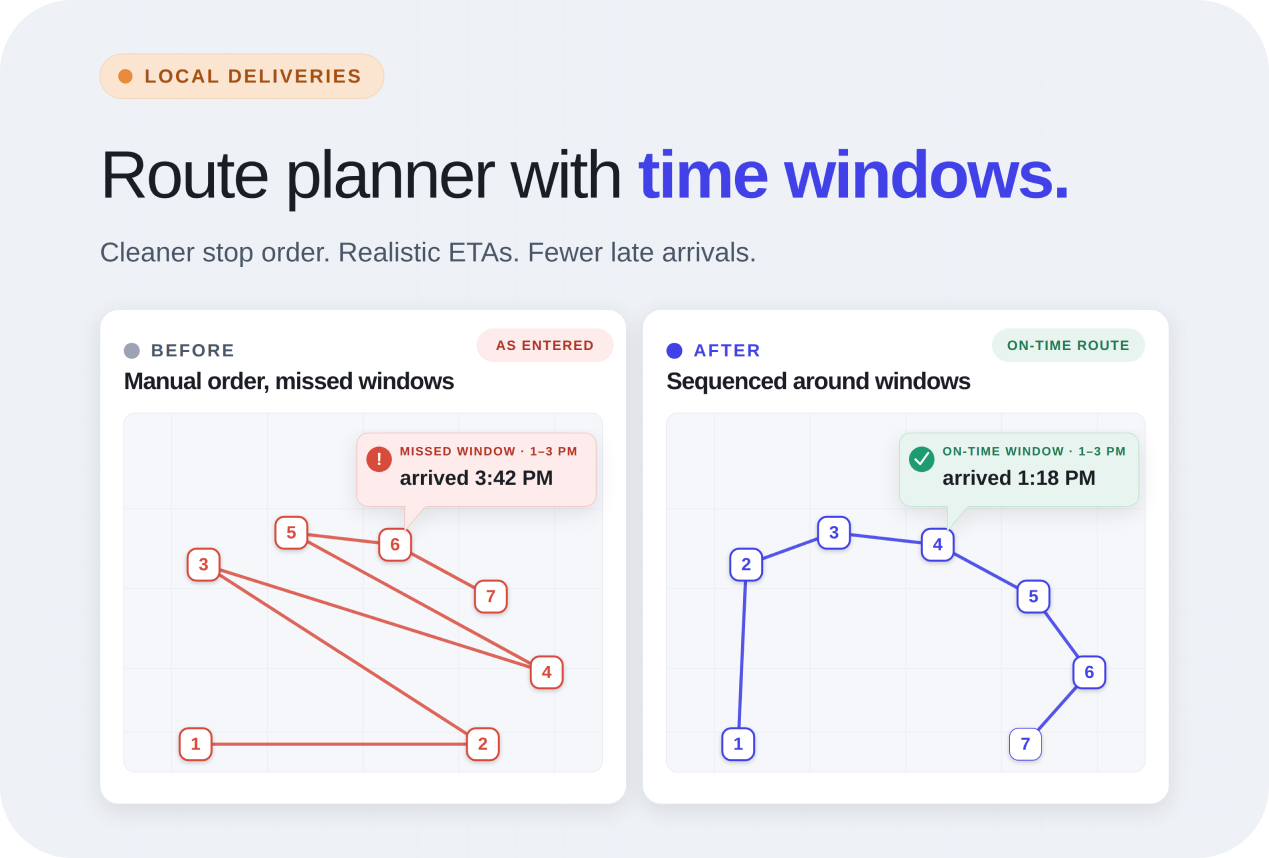
Local deliveries are different from long-haul shipping. Customers aren’t waiting “sometime this week.” They’re expecting an order this morning, this afternoon, or within a short promised slot.
That expectation changes everything.
If a customer is waiting at home for groceries between 2 PM and 4 PM, arriving at 5 PM feels like a failed delivery, even if the package still gets there. Missed windows create more than inconvenience. They lead to customer complaints, second delivery attempts, and sometimes lost repeat business altogether.
This is why a route planner app with time windows for local deliveries matters. It helps businesses stay closer to their promised delivery time slots by planning smarter routes from the start, not by trying to fix problems later.
Most missed delivery windows are not caused by major failures. They usually come from small multi-stop route planning problems that are repeated every day.
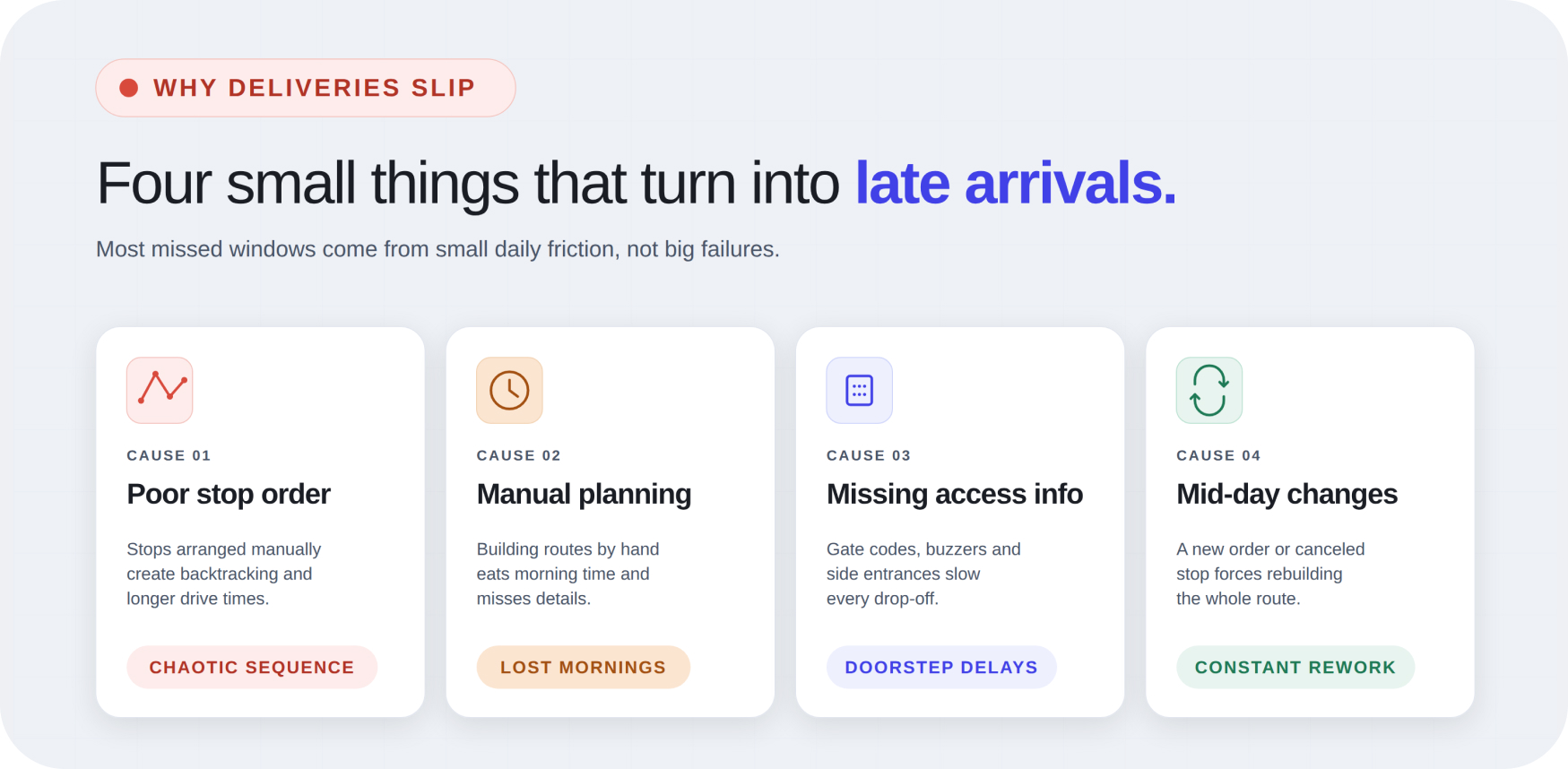
Some of the most common reasons include:
A strong route planner app with time windows helps reduce these avoidable delays by building routes around real delivery conditions, not just map distances.
A route planner should make the day easier, not add another complicated system to manage. At the most basic level, it should help organize stops in a smarter order so the route flows naturally. Instead of bouncing across town, deliveries should move in a clean sequence that saves time and fuel.
It should also help you stay closer to promised delivery windows. That means being able to assign time-sensitive stops, estimate realistic arrival times, and avoid preventable delays caused by poor sequencing.
Stop-by-stop ETAs visibility matters too. Knowing when each stop is likely to happen helps reduce guesswork and makes the day feel more manageable.
A good route app for local deliveries should also support simple stop notes and fast route edits.
Morning planning should not take longer than the deliveries themselves. For many same-day drivers, the day starts with a list of addresses from messages, order systems, or handwritten notes. Turning that into a usable route manually takes too much time.
A better workflow is simple: add the stops, set delivery windows where needed, include notes for access details, and let the route planner build the best sequence automatically.
That’s what a multi stop route planner for local deliveries offers. It ensures drivers spend less time on spreadsheet address import and more time actually delivering.
Many delivery delays are not caused by having too many stops. They come from doing the stops in the wrong order. Better stop order reduces this.
When deliveries are properly grouped, drivers move through an area once instead of repeatedly revisiting the same streets. That keeps the day more predictable and protects the time-sensitive deliveries later in the route.
Using a delivery route planner with ETA helps make this visible. Cleaner sequencing and map app navigation mean fewer avoidable delays and better chances of arriving within the promised delivery window.
Accurate ETAs are not just helpful for customers, but they also make delivery work easier for drivers. When arrival times are realistic, it becomes easier to pace the day. Drivers can see where time is tight, where there’s flexibility, and which stops need attention first.
Better arrival estimates create calmer decision-making and fewer surprises later in the route. This is especially important for local businesses where customer expectations are built around narrow time windows.
Sometimes the biggest delays come from the smallest missing details.
A route may be perfect, but if the driver arrives at an apartment building without the gate code, valuable time is lost. The same happens with missing buzzer instructions, contactless drop-off requests, parking notes, or unclear delivery entrances.
A strong route planning process includes these notes early in the process. That makes deliveries smoother and helps protect the timing of every stop that comes after.
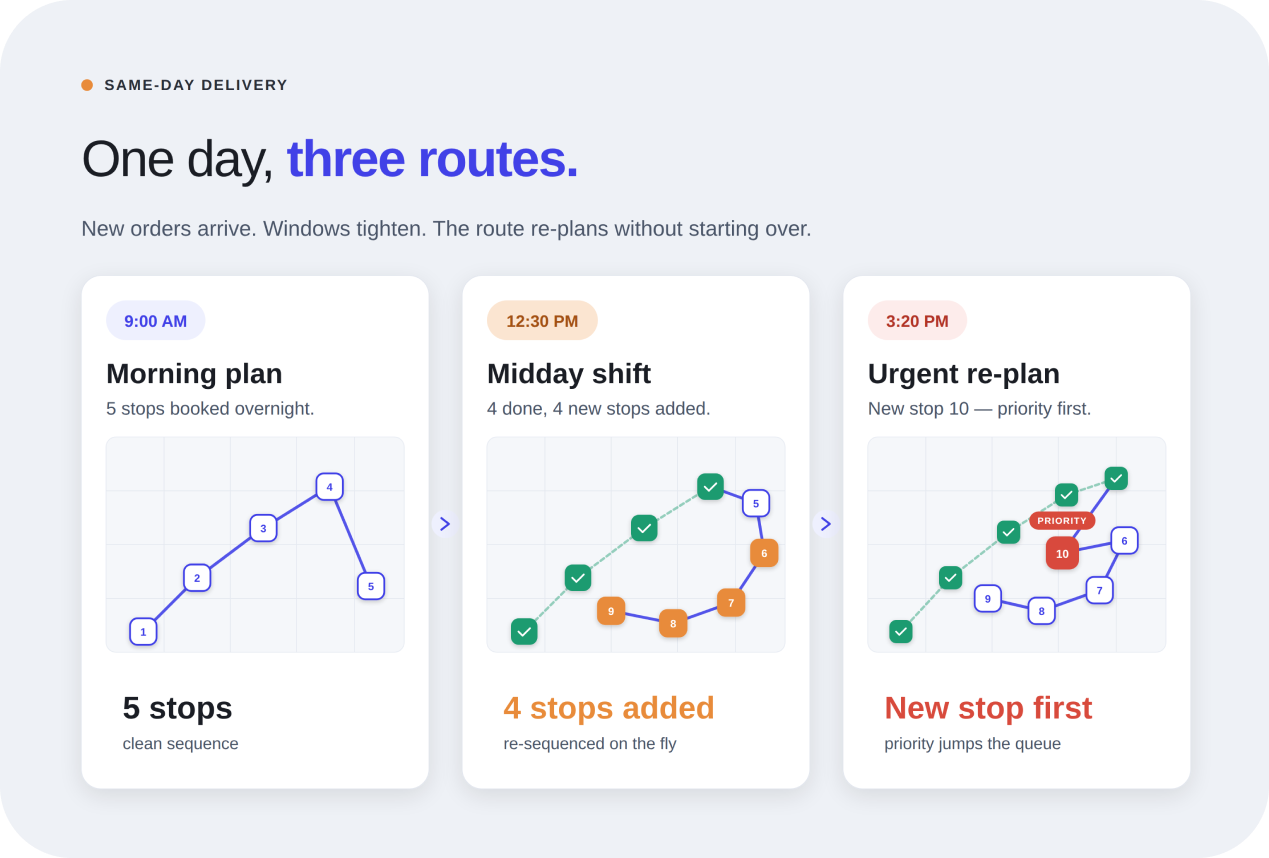
No local delivery day stays perfectly fixed. New orders get added, a customer asks for a later drop-off, one stop gets canceled, or traffic turns a short route into a slow one.
When routes are planned manually, even a small change can force a full rebuild. That creates frustration and wasted time.
A better route planner helps adjust without starting over. Stops can be added, removed, or shifted without losing the structure of the entire route.
This kind of route planning matters most for businesses where timing shapes customer trust. That includes:
If the business depends on arriving close to a promised delivery time, route quality directly affects customer experience. It also protects both time and reputation.
Standard navigation apps are useful for directions, but they’re not built for repeated multi-stop delivery work. They help drivers get from one place to another. However, they do not organize the full route around time windows, stop notes, or delivery priorities.
Once deliveries involve multiple stops, recurring routes, and customer timing expectations, basic maps start creating extra work instead of reducing it. That’s when a dedicated planner becomes more practical.
Does Optiway support delivery time windows for each stop?
Yes. You can set earliest and latest delivery times for each stop, and Optiway factors those windows into the optimized route so time-sensitive deliveries stay on schedule.
How are ETAs calculated for time-sensitive local stops?
Optiway gives stop-by-stop ETAs based on the optimized sequence and the travel time between stops, so you can see where the day is tight and where there is room before a stop reaches its window.
Can I add stop notes like gate codes, buzzer details, or drop-off instructions?
Yes. Every stop supports notes for access details, contactless drop-offs, parking instructions, and anything else drivers need at the door. Those notes travel with the stop on the optimized route.
What happens if a new stop is added or a window changes mid-route?
Add, remove, or shift stops on a live route and Optiway re-optimizes without forcing you to rebuild the day from scratch. Stop-by-stop ETAs update so you can see whether the new plan still fits the promised windows.
How is this different from using a basic map app for multiple stops?
Basic map apps keep stops in the order you typed them and do not understand time windows, priorities, or stop notes. Optiway is built for multi-stop local delivery work — it reorders stops around your windows, supports priorities and notes, and hands navigation off to your map app.
How many stops can I plan in one route?
Up to 200 stops per route, which covers most local delivery runs and recurring same-day routes.
Is there a free trial?
Yes. You can start with a free trial. After the trial ends, your subscription renews automatically unless canceled through your App Store or Google Play account. You can cancel anytime in your store settings.
The goal is simple: spend less time fixing routes and more time completing deliveries on schedule. Optiway is a mobile route planner that enables local delivery drivers to create cleaner stop orders and keep ETAs more realistic. It also reduces the daily friction that causes late arrivals.
A dedicated planner is worth considering when:
If your work resembles grocery drop-offs or recurring local delivery runs, the Grocery Delivery Route Planner App for On-Time Drop-Offs guide offers a closer look at how improved route planning can enhance day-to-day delivery work.
Late arrivals usually start small, but so do the fixes. Better stop orders, stronger ETAs, and cleaner route planning can protect both your time and your customer relationships every single day.
Best Route Planner App for Same Day Delivery Drivers
Same-day delivery gets messy fast when routes change by the hour. Optiway helps drivers plan smarter stops, save time, and keep ETAs under control.
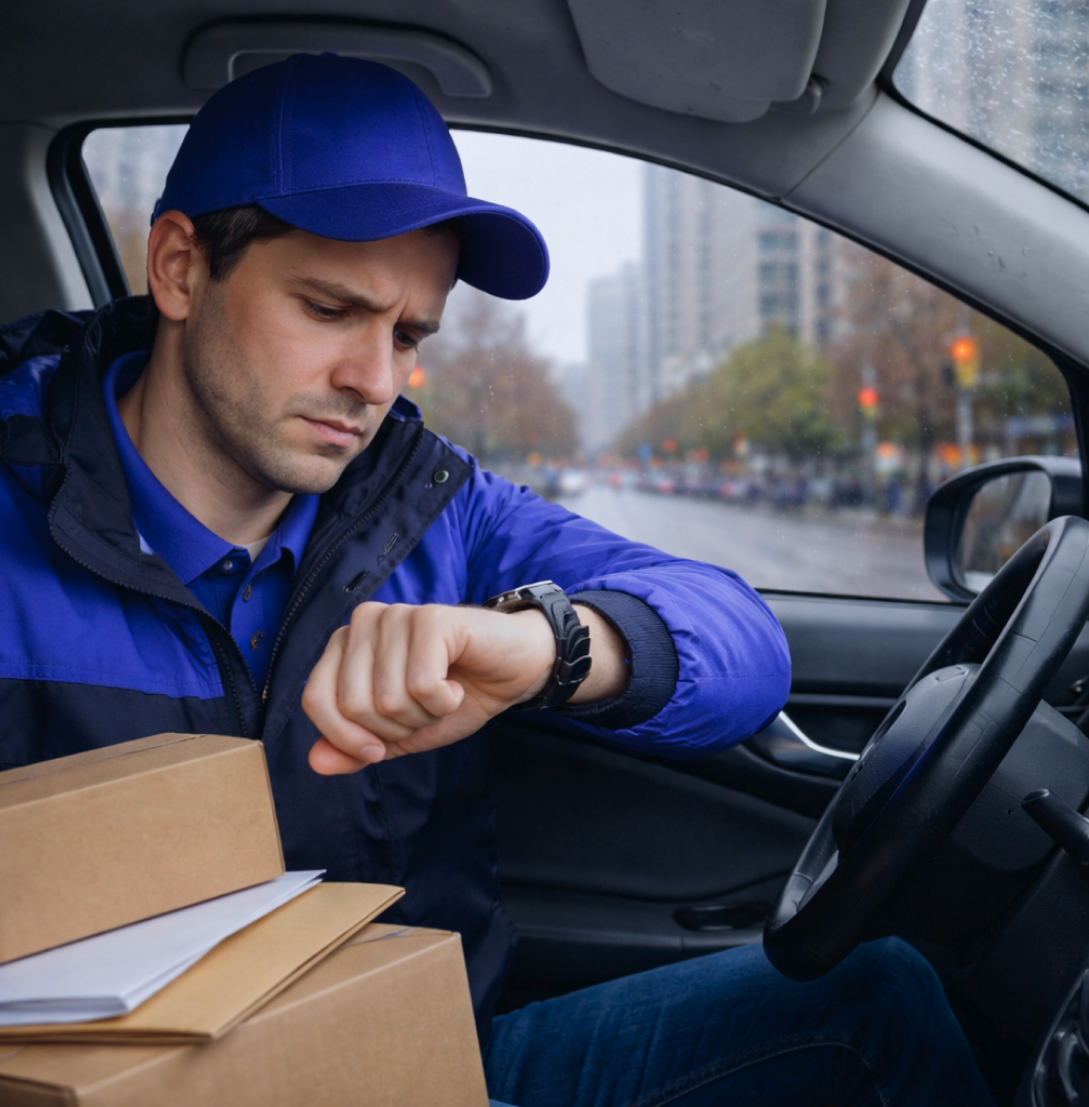
Delivery time windows - how to avoid late arrivals and waiting
Optiway turns delivery time windows into a route plan you can actually keep — fewer late arrivals, less waiting outside locked doors, more predictable days.
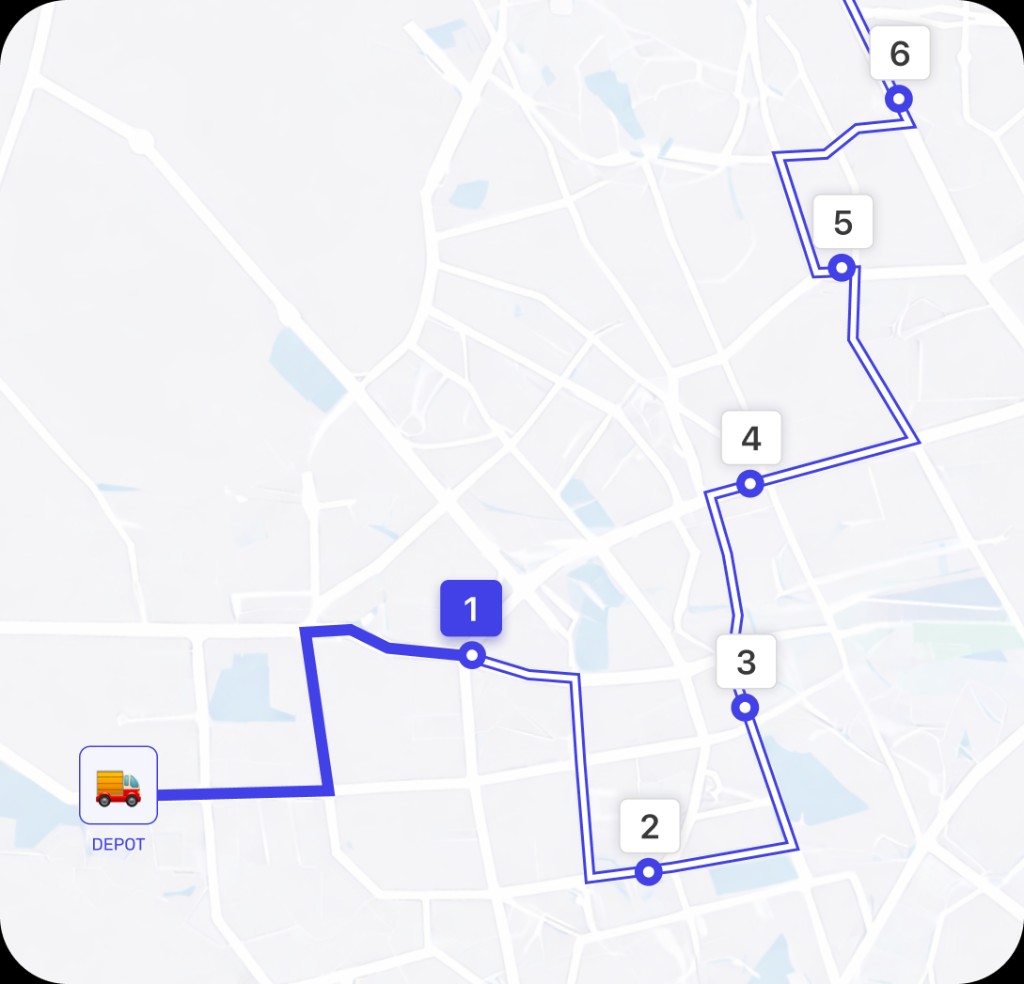
Why Google Maps Falls Short for Truck Routes
Where a navigation app stops being enough for commercial multi-stop routing.
A fast, lightweight app that holds the whole day — and keeps working when the signal drops.



Start with a free trial — cancel anytime.