Delivery Driver App with Route Optimization and Navigation
When planning and navigation live in one place, the day runs a lot smoother. Optiway helps delivery drivers cut wasted miles, stay on route, and keep stops moving.

Delivery & Couriers
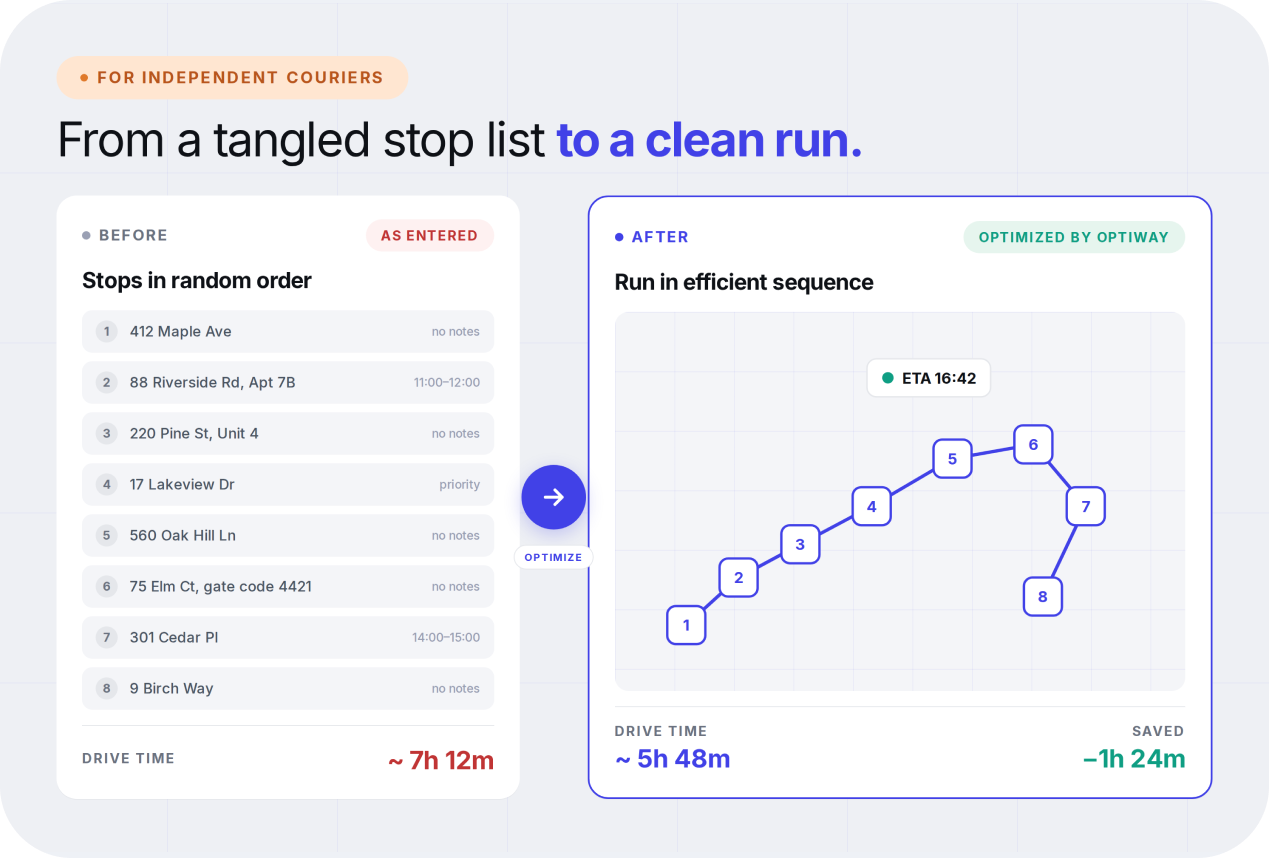
Unlike larger delivery operations, independent couriers do not usually have a dispatcher or planning team. They often build routes manually, which leads to small inefficiencies that can disrupt the entire workflow.
For most independent couriers, route planning is a solo task. You do not have a centralized system or team for coordinating deliveries, just a list of stops and a need to complete them efficiently.
This creates a few challenges. Stops may not be arranged in the most logical order, which means drivers can run into backtracking or unnecessary detours. When new deliveries are added during the day, it can be difficult to adjust the route quickly without starting over.
Switching between navigation apps, delivery platforms, and notes can also slow things down. Using a route planner app for independent couriers with multiple stops helps solve this. It improves stop sequence optimization and turns a scattered list of deliveries into a structured, efficient route.
A route planner app is designed to simplify how couriers manage their day. Instead of manually deciding the order of stops, the app calculates the most efficient route automatically.
Couriers can upload or enter all delivery addresses at once. The app then organizes those stops into the best possible sequence based on specific delivery requirements. This reduces unnecessary driving and saves time.
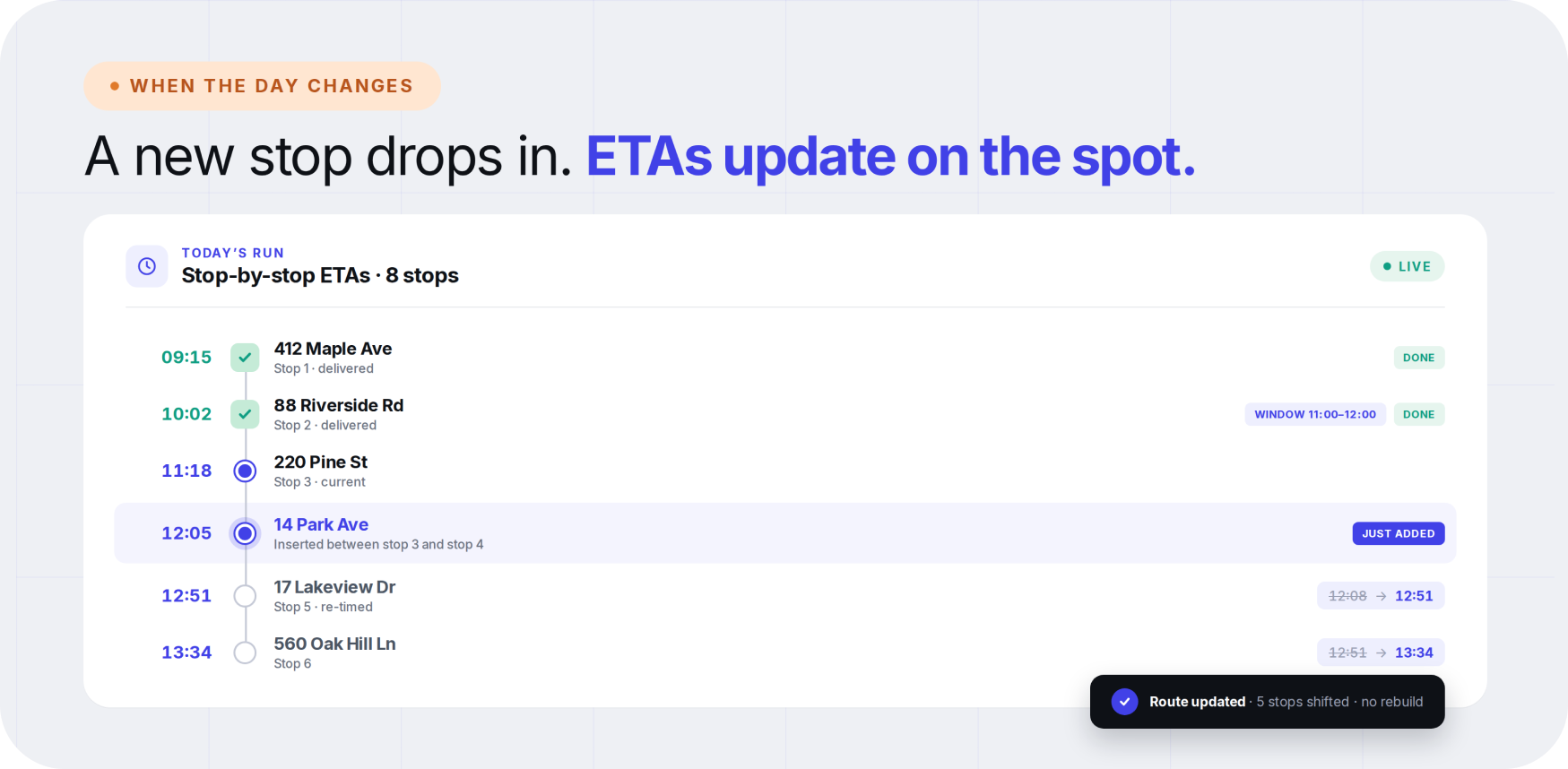
It also provides estimated arrival times for each stop, so couriers stay on schedule and plan the day more effectively. Another key benefit is flexibility. If a new order comes in or a delivery needs to be rescheduled, the route can be updated easily without starting from scratch.
A good route planner app for delivery drivers combines these features with fast address import. For solo delivery professionals, this makes it easier to handle busy delivery days.
Independent couriers deal with a range of daily challenges that directly affect time, fuel, and earnings. A courier route optimization app helps address these problems by improving route structure and enabling better backtracking reduction. Some of the most common issues include:
For independent couriers, the right features can make a noticeable difference in both time and earnings. A reliable multi stop delivery route planner should support these capabilities and allow smooth route changes on the go.
When routes are planned efficiently, the impact can be seen in every step of order fulfillment. Stops are arranged in a logical order, so drivers do not have to run in circles to complete deliveries.
For example, if a courier has to deliver multiple orders in one area, they can move through it once in a clean sequence. They do not need to cross the same neighborhood multiple times. This reduces both distance traveled and time spent on the road.
Over time, these improvements start producing clear results. Less driving means lower fuel costs, and shorter routes mean more deliveries can be completed without extending working hours.
Better planning also reduces the need to rush. With a clear route and realistic timing, couriers can work at a steady pace while still completing more stops.
Efficient routing does not just benefit the driver. It also improves the delivery experience for customers. When routes are well structured, arrival times become easier to predict. Customers are less likely to experience delays because deliveries happen closer to the expected time.
This reduces the need for follow-up calls or rescheduling. Communication becomes easier because timing is more reliable, and customers gain confidence in the service. As an independent courier, this can lead to better ratings, repeat business, and stronger relationships with clients or platforms.
Choosing the right tool comes down to practicality. Independent couriers need something that saves time without adding complexity.
Look for an app that is easy to use from the start. It should allow quick route setup and not require a long learning process. Speed matters, especially when routes need to be built or adjusted during the day.
Flexibility is just as important. The app should handle new stops, cancellations, and changes without slowing you down. Pricing should also be reasonable and suited to solo couriers, not just large delivery teams.
Finally, consider whether the tool supports recurring routes or regular delivery patterns, which can save even more time in the long run.
Optiway offers all these features in one place. This multi-stop route planner helps independent couriers plan smarter routes and reduce wasted miles. With its broad feature set and easy-to-use interface, couriers can keep the day running smoothly without technical expertise.
Managing multiple stops does not have to feel overwhelming. With the right route planner, you can stay organized, save time, and make each delivery day more efficient. For couriers running parcel work specifically, see how Optiway fits into parcel delivery routes as well.
Is Optiway a good fit for an independent courier or solo gig driver?
Yes. Optiway is built for delivery drivers and small teams where each driver creates and manages their own route. Independent couriers and gig drivers can plan multi-stop runs in minutes without a dispatcher.
How many stops can I plan in a single route?
You can add and optimize up to 200 stops per route, which covers most independent courier and gig driver shifts.
Can I import stops instead of typing each address?
Yes. Upload addresses from a spreadsheet or text file using the "Upload Document" button, or paste them in. Optiway then sorts the stops into an efficient sequence automatically.
Does Optiway handle time windows and priority stops?
Yes. You can set earliest and latest delivery times for each stop, and mark priority stops so they are placed near the top of the sequence. Optiway factors all of this into route optimization and stop-by-stop ETAs.
What happens if a new stop is added or one is cancelled mid-day?
You can add, remove, or update stops on a route that is already underway, then re-optimize or keep the existing order. ETAs adjust on the spot, so you do not have to rebuild the day from scratch.
How is Optiway different from Google Maps for multi-stop runs?
Google Maps mainly handles point-to-point navigation and keeps stops in the order you typed them. Optiway is built for multi-stop route optimization — it reorders stops into the most efficient sequence and supports time windows, priorities, notes, and ETAs.
Is there a free trial?
Yes. You can start with a free trial. After the trial ends, your subscription renews automatically unless canceled through your App Store or Google Play account. You can cancel anytime in your store settings.
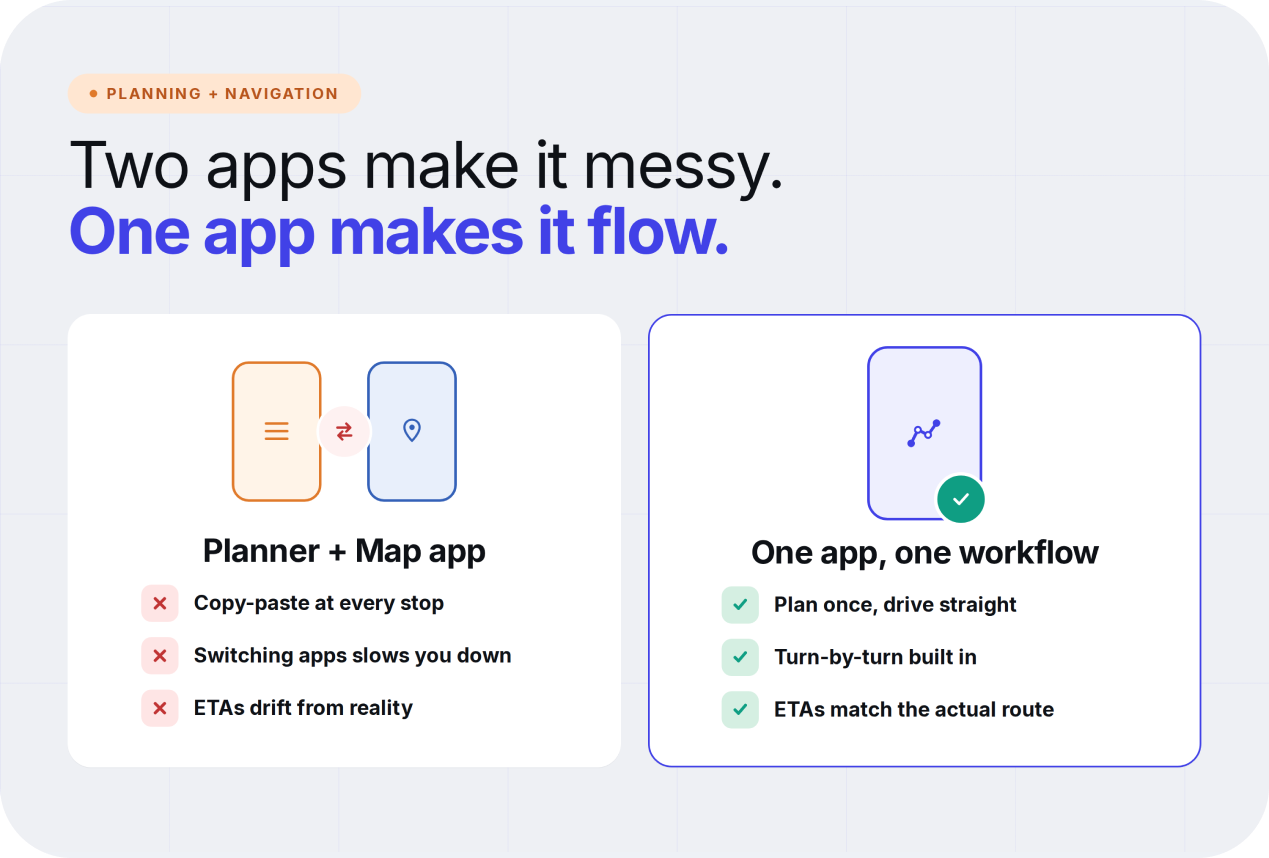
Delivery Driver App with Route Optimization and Navigation
When planning and navigation live in one place, the day runs a lot smoother. Optiway helps delivery drivers cut wasted miles, stay on route, and keep stops moving.
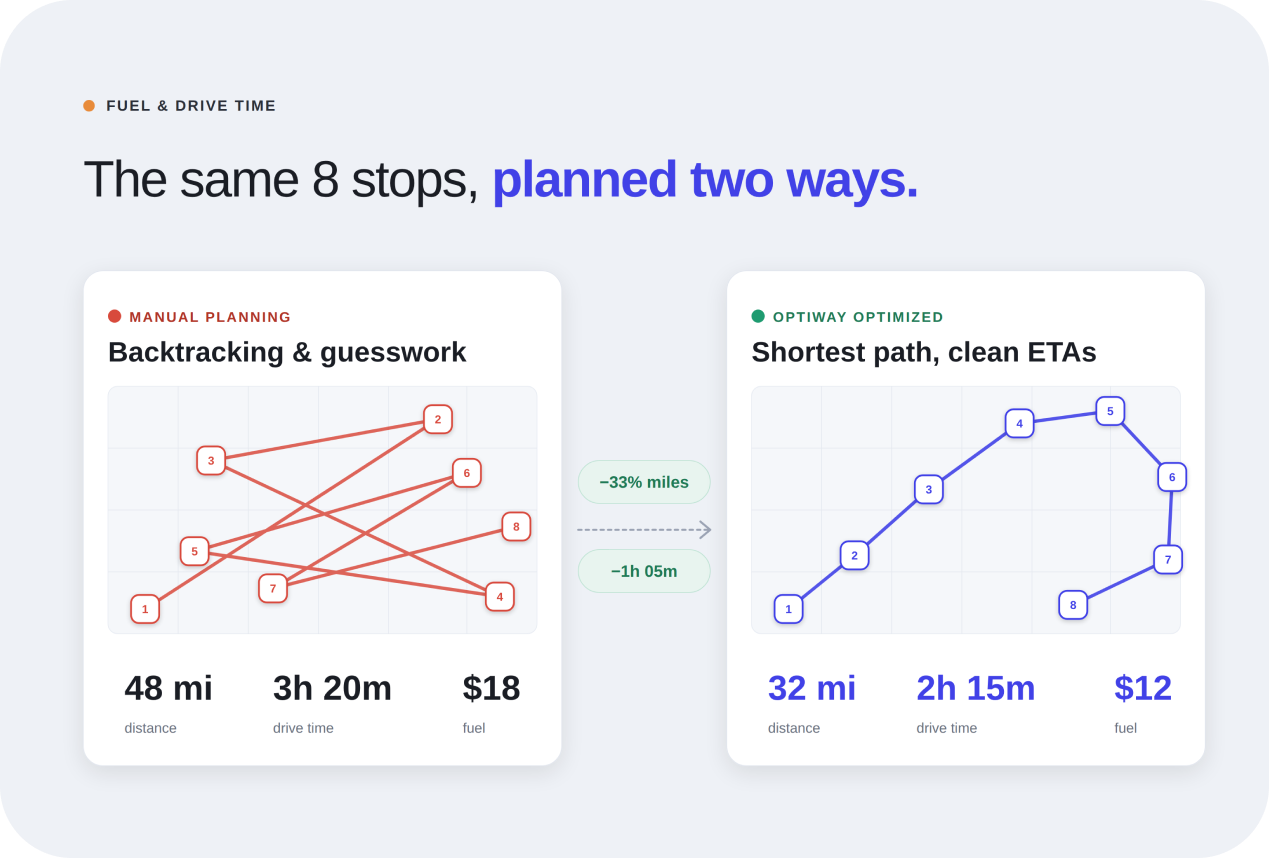
Delivery Route Planner App to Save Fuel and Drive Time
Optiway helps delivery teams plan tighter routes, spend less on fuel, and get more done in fewer driving hours — every wasted mile adds up fast.
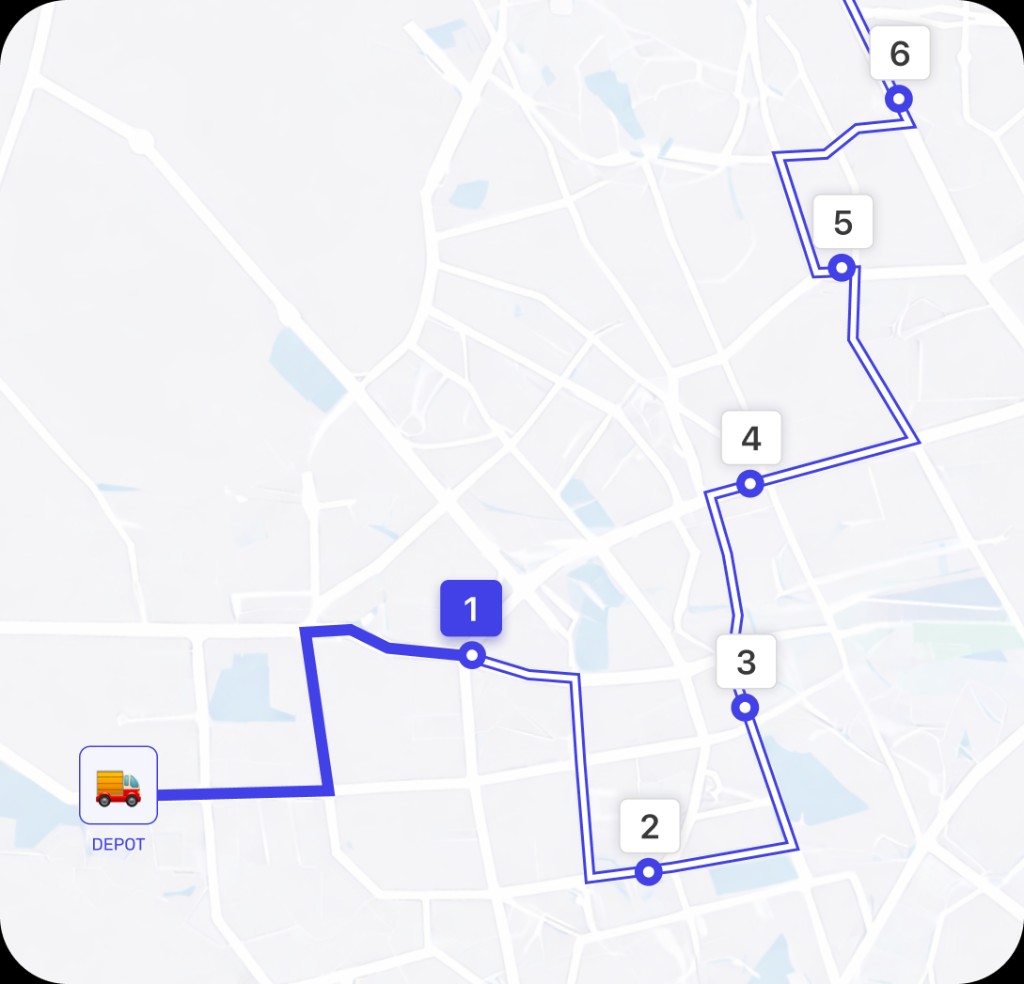
Why Google Maps Falls Short for Truck Routes
Where a navigation app stops being enough for commercial multi-stop routing.
A fast, lightweight app that holds the whole day — and keeps working when the signal drops.



Start with a free trial — cancel anytime.