Delivery time windows - how to avoid late arrivals and waiting
Optiway turns delivery time windows into a route plan you can actually keep — fewer late arrivals, less waiting outside locked doors, more predictable days.

Delivery & Couriers
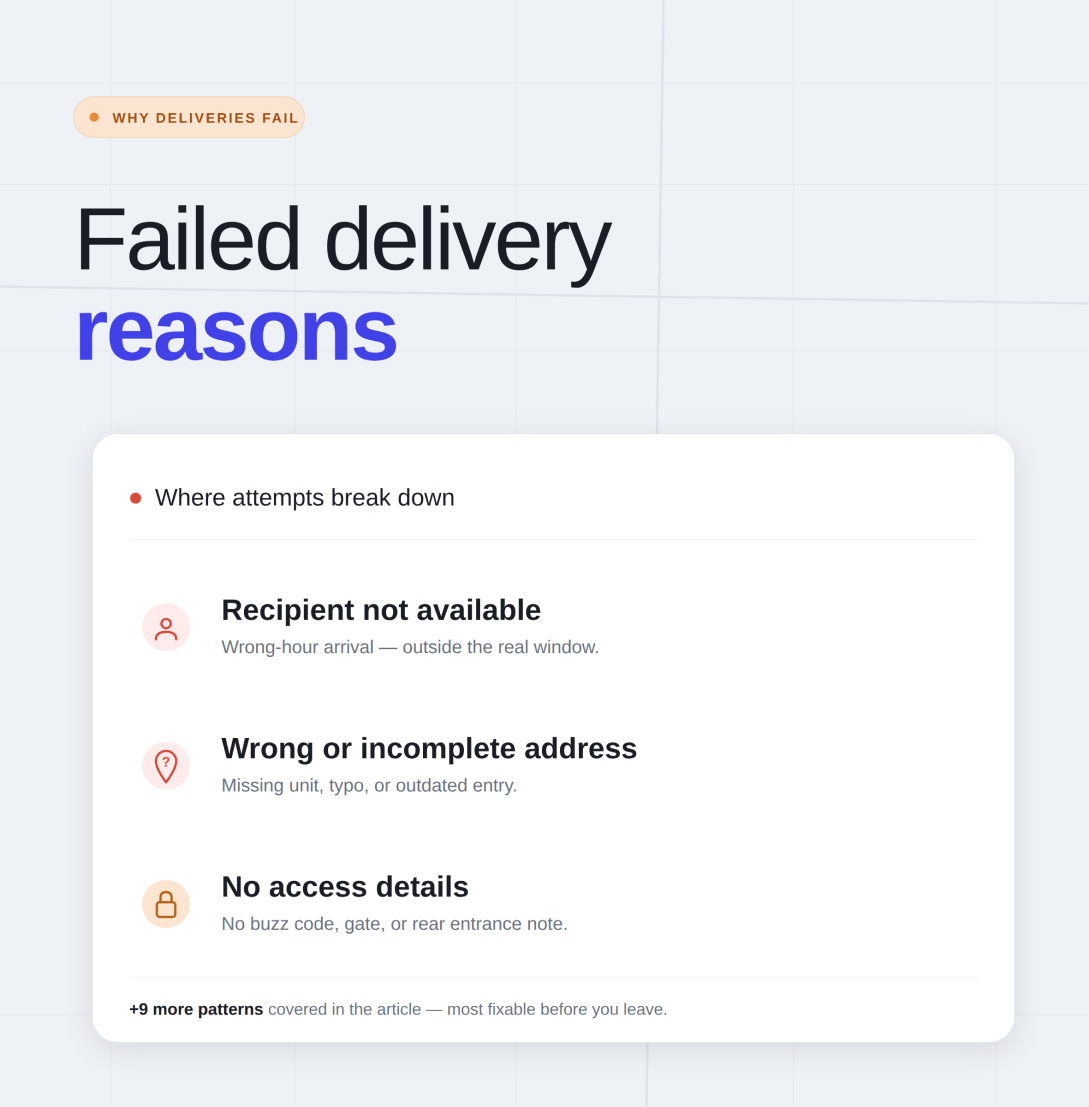
Failed deliveries rarely come from one dramatic mistake. More often, they come from a stack of small problems that build up across the day - a missing apartment number, a locked gate with no code, a route built in the wrong order, a stop squeezed into a time slot that never really worked. FarEye’s overview of failed delivery attempts highlights the same pattern: missed first attempts are common in e-commerce, and the reasons are usually familiar, not mysterious.
For a route-first tool like Optiway, the useful way to think about failed delivery reasons is simple. What can a driver or a small local business fix before leaving, while driving, or when the route changes halfway through the day? Optiway is built around multi-stop route optimization, stop notes, priority stops, time windows, editable routes, manual stop reordering, file import, and navigation handoff to major map apps. That makes it a practical fit for reducing avoidable delivery misses caused by route shape, timing, and missing stop context.
This is still one of the most common failed delivery reasons. A driver reaches the address on time, but nobody answers. In residential delivery, that can mean the customer stepped out. In business delivery, it can mean the receiving contact is on lunch, the front desk is unattended, or the location closes earlier than expected. FarEye lists recipient unavailability as one of the biggest causes of failed attempts, and that lines up with what drivers see every day.
The fix is not always glamorous. It is usually timing. If a stop has a preferred arrival window, treat that as part of the route plan, not as a nice extra. Optiway supports time windows for individual stops and uses them during route optimization, which helps reduce the odds of arriving too early, too late, or at the exact moment nobody is there.
A missing unit number can waste fifteen minutes. A typo in the street name can waste forty. Wrong or incomplete address data is one of the most stubborn failed delivery reasons because the driver often notices the problem only after arriving nearby and realizing the stop is not actually actionable.
Prevention starts before the route is optimized. Clean the stop list. Look for missing suite numbers, odd formatting, and vague entries copied from old spreadsheets or text threads. Optiway allows stops to be entered manually or imported from files, which makes route building faster, but speed only helps if the source data is clean. A careful review of difficult or repeated stops before optimization can save a painful amount of time later.
An address can be technically correct and still fail. Apartment buildings need buzz codes. Office towers may require a loading entrance. Gated communities may have entry rules. Some houses are easy to miss from the street unless the driver knows which side gate or driveway to use. These are not “big” route problems, but they create failed attempts all the time.
This is where stop notes matter. Optiway lets users add notes to each stop, and that small detail can be the difference between a quick handoff and a second attempt. A short note like “Use rear entrance,” “Call from side gate,” or “Unit B behind main house” can rescue a stop that would otherwise fail for a very ordinary reason.
Some deliveries fail because the route arrives at the wrong hour, even if the address is perfect and the customer is cooperative. That happens when business hours are ignored, when school pickup traffic makes a residential stop harder than expected, or when a customer can only receive an order during a narrow window.
This is why delivery timing should not live in someone’s memory. It should live in the route. Optiway supports earliest and latest arrival times for a stop, and those windows can be edited when creating or updating a route. If a stop only works between 10:30 and 12:00, build the day around that fact instead of hoping the route will somehow line up on its own.
A lot of failed deliveries begin with a route that looked manageable on paper but turned ugly in motion. The driver bounces across town, loses time between neighborhoods, hits a sensitive stop too late, and spends the afternoon catching up. The failure may show up at stop 14, but the problem often started at stop 3.
This is one of the most important failed delivery reasons for small delivery businesses because it is so preventable. Optiway is built to optimize the stop sequence for multi-stop routes, and it also allows manual reordering when needed. That gives drivers two useful options - trust the optimized route when the list is clean, or adjust the order when local knowledge says a certain stop should move.
FarEye points out that high delivery volumes make failed attempts harder to manage, and that is especially true when one route becomes too ambitious for one day. A route can be technically possible and still be unrealistic. Long lists, tight windows, and scattered geography create a day where one delay poisons the next five stops.
Optiway supports routes with up to 200 stops, but that does not mean every route should be stretched to the edge. The healthier approach is to build a route that still has breathing room. If one person cannot complete the list cleanly without rushing every handoff, the issue is not effort. It is route design.
Not every failed delivery reason lives inside the route. Sometimes the problem is mechanical - a flat tire, a dead battery, or a breakdown that turns a planned run into a rescue mission. FarEye includes vehicle issues among the reasons deliveries fail, and it is one of the few causes that no route app can fully solve for you.
What route planning can do is reduce the damage around the problem. A cleaner route gives the day more buffer. A route you can edit quickly after an interruption is easier to recover. Optiway lets you update an active route, add a stop, remove a stop, or re-optimize after changes, which helps when the original plan is no longer possible.
Heavy rain, snow, flooding, roadworks, events, school traffic, bridge closures - they all create the same result. A route that looked normal in the morning starts slipping, and sensitive stops begin to fail. FarEye names weather conditions as a direct cause of failed deliveries, and that fits real road experience.
The practical response is not to pretend you can outsmart every disruption. It is to build margin into the day, protect the stops that matter most, and adjust when the route stops matching reality. In Optiway, priority stops and route editing help you protect time-sensitive addresses when the road gets slower than planned.
A new stop appears. A customer changes the address. A drop-off note comes in late. Someone asks for a different arrival window. This is where delivery days often become messy. The route in the driver’s head and the route in the phone are no longer the same thing.
That mismatch creates failed deliveries faster than people expect. The safest move is to update the route the moment the change becomes real. Optiway supports editing an active route, adding stops, modifying stop details, and then either re-optimizing or preserving manual order if that makes more sense for the situation.
Some deliveries fail because there is no obvious place to complete the handoff. The recipient is absent, there is no secure spot, the building policy blocks unattended drop-offs, or the location has multiple entrances and no clue which one matters. In practice, this often overlaps with missing notes, but it deserves its own place because it is so common.
A short instruction can prevent a wasted attempt. “Leave with reception if open.” “Use back porch.” “Side entrance near garage.” “Ask for shipping desk.” These are simple details, and simple details save routes. Optiway’s stop notes give a place for that context so it travels with the address instead of getting lost in a separate message.
When stop lists come from spreadsheets, copied orders, or handwritten updates, bad data can sneak in quietly. A duplicate stop can waste time. An outdated address can send the driver to last month’s location. A stop saved under the wrong contact name can create hesitation at the curb. None of this feels dramatic when the route is being built. It feels dramatic when the afternoon is already running late.
Optiway supports fast address import from text and spreadsheet files, which is useful, but imported data should still be reviewed before optimization. A quick check for duplicates, outdated entries, and missing notes is one of the cheapest ways to cut avoidable failures.
This is the quiet reason behind many bad delivery days. The driver starts with a clean route, then the day shifts - traffic builds, a difficult stop takes longer than expected, one address needs a later visit, another needs to move up. If the route stays frozen, the rest of the day often unravels.
Optiway gives drivers a practical middle ground here. You can reorder stops manually, change time windows, set priority, add or remove stops, and optimize again if the original sequence no longer fits the day. That matters because many failed delivery reasons are not present at 8:00 a.m. They appear at 1:40 p.m., after the route has already started drifting.
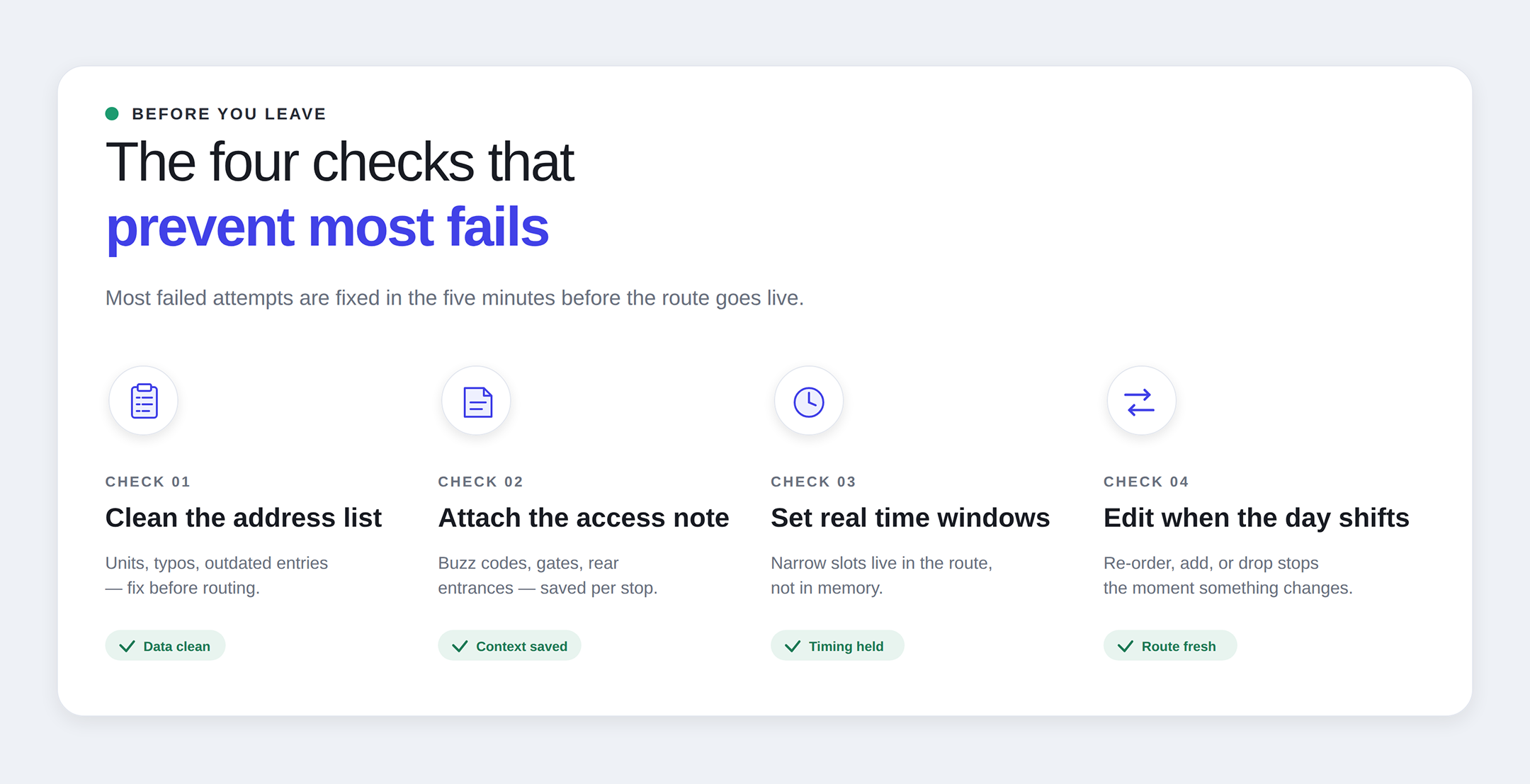
Most failed deliveries do not need a dramatic fix. They need cleaner route inputs, better stop timing, and enough flexibility to adjust when the road stops cooperating. That is why the most useful response to failed delivery reasons is not panic. It is preparation.
Check the address before the route goes live. Add the note that your future self will wish you had. Protect stops with real time windows. Keep the route realistic. Edit early when the day changes instead of trying to “make it work” three stops too long. Optiway’s multi-stop route planner app for delivery drivers will not fix a broken gate, a snowstorm, or a customer who forgot they placed an order. What it can do is help you leave with a stronger route and fewer built-in mistakes. The best articles about failed delivery attempts often treat the issue as a logistics problem at scale. That is true, but on the road it feels much more personal. One wrong address can throw your whole hour off. One missed window can drag the rest of the route down with it. One missing note can turn a simple stop into a failed attempt. That is why the best way to handle failed delivery reasons is to catch them while they are still small. Fix the stop. Fix the order. Fix the timing. Then the route has a real chance to go right.
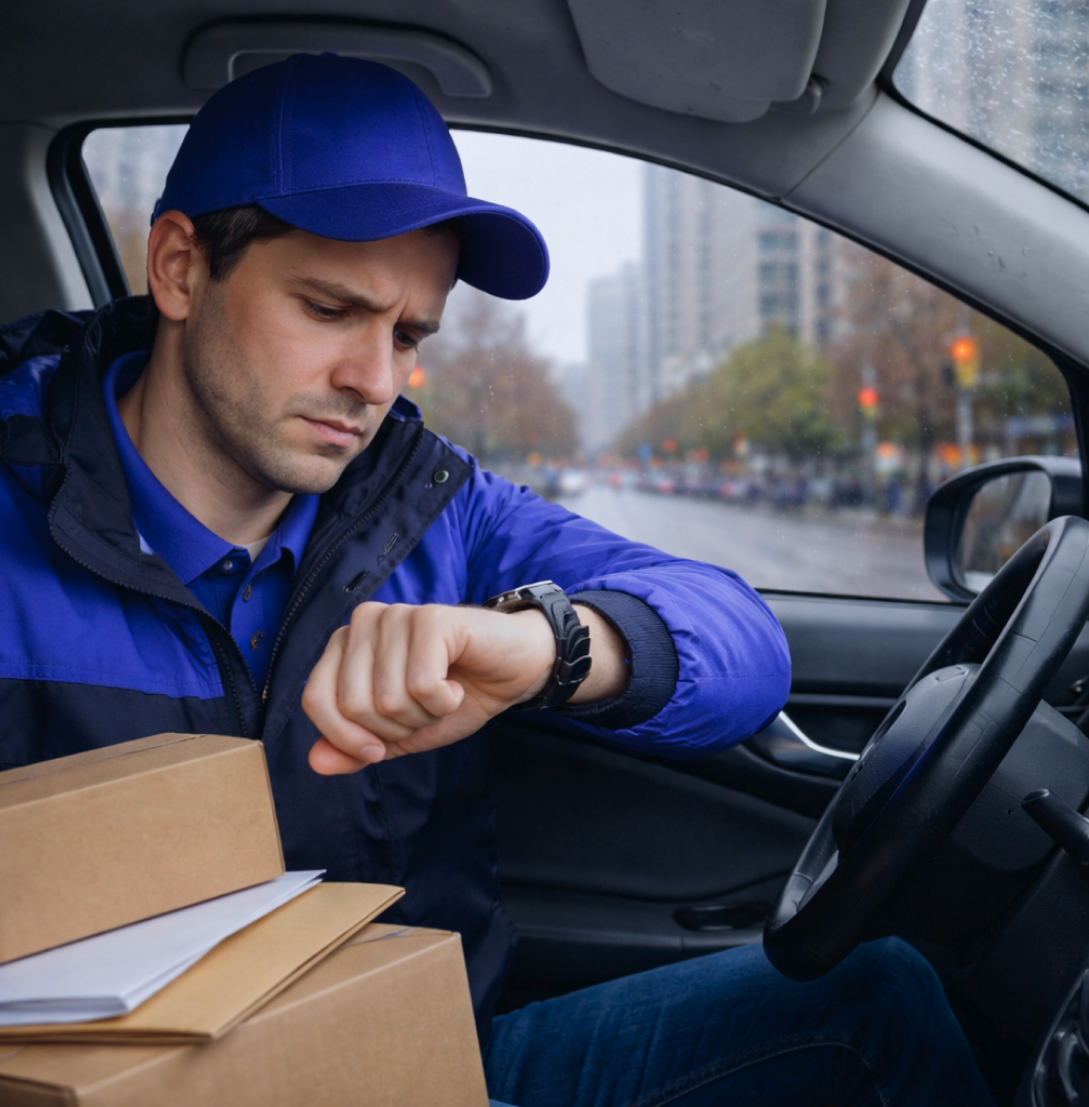
Delivery time windows - how to avoid late arrivals and waiting
Optiway turns delivery time windows into a route plan you can actually keep — fewer late arrivals, less waiting outside locked doors, more predictable days.
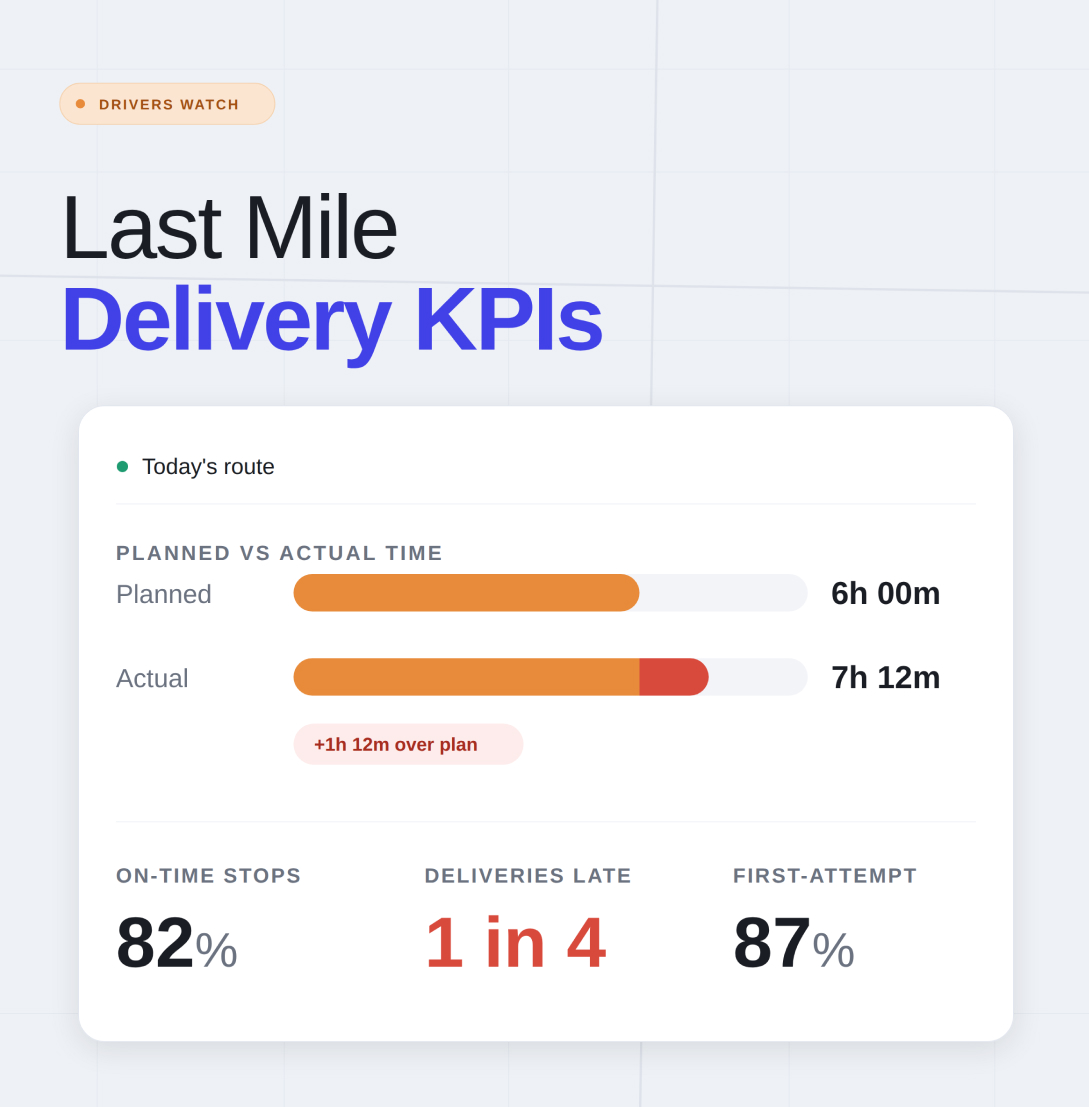
Last Mile Delivery KPIs for Route Optimization: What Drivers Should Actually Track
Optiway looks at last mile delivery KPIs drivers actually use to cut wasted miles, protect time windows, and keep each route calmer.
Why Google Maps Falls Short for Truck Routes
Where a navigation app stops being enough for commercial multi-stop routing.
Plan, assign and track every driver — live, from one dashboard.