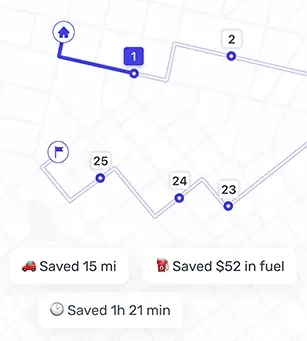
Your Route, Clearly Organized Stop by Stop
The in-app route view puts every stop in order, so drivers see what comes next immediately. Each address shows its place in the run, along with clear status labels: Done or Failed. Drivers can also use the "Make next" button to move a stop to the top of the route.
Our app for multi stop deliveries keeps dense routes readable from start to finish. Drivers open the run, mark a stop as done or failed, and move on. Long lists feel manageable because the sequence and schedule stay tight.
Delivery Notes and Instructions Where Drivers Actually Look
Stop-specific details, such as gate codes, drop-off rules, special instructions, contact info, back entrance requests, and other additional details, matter a lot in delivery. But they often get lost in email threads or dispatch texts.
Our app for multi stop deliveries places delivery instructions directly on each stop. Contact numbers, access notes, and special rules appear alongside the address so drivers do not search for them mid-run. So, customers get what they asked for the first time, which means fewer repeat calls and failed delivery attempts.
Accurate ETAs That Stay Useful During the Run
Each stop carries its own ETA, so drivers pace the day easily. Morning traffic might slow the first few drops, but afternoons can close that time back up. The estimates shift with the run, so the rest of the route stays realistic. Last-mile navigation feels more confident with fewer surprises.
On-the-Go Changes Without Breaking the Route
Real-life disruptions, such as priority changes, urgent add-ons, cancellations, and rush orders, often derail you from the original delivery plan. On-route adjustments let drivers reorder stops, insert a new address, or skip a drop with minimal rework.
The rest of the sequence updates, and the day continues with little to no disruption. Multi stop route navigation stays flexible enough for field conditions instead of forcing a reset.
Fewer Taps, Less Stress, More Completed Deliveries
With our stop by stop navigation app, drivers can cut mental load and make fewer mistakes. Since notes show up at the right moment and routes stay readable, it's quicker to transition based on changes. These small gains stack up over dozens of stops with energy lasting longer into the afternoon.
Key Benefits and Core Features
Our last mile driver navigation app with stop sequencing helps delivery drivers finish routes faster with fewer distractions and cleaner handoffs between planning and driving.
Key Benefits
- Eliminates inefficient manual planning, saving drivers time and effort
- Quick access to external navigation apps for each stop
- Fewer failed attempts thanks to visible delivery instructions
- Better pacing with ETAs per stop
- Faster reactions to changes during the run
- More completed drops before the shift ends
Core Features
- Multi stop route navigation inside a single app
- One-tap launch to Apple Maps, Google Maps, Waze, or Here WeGo
- ETA visibility for every address
- Stop-level notes and contact info
- Time windows & stop priority to schedule stops efficiently and prioritize deliveries
- Quick reordering and inserts for on-route adjustments
- Clear stop statuses: Done or Failed
Who Is This For
Our delivery driver navigation app with multi stop routes is for you:
- If you run dense courier routes and want to move through long stop lists with less delay and fewer missed notes.
- If you manage last-mile teams and need last mile driver navigation that stays organized through full days and shifting priorities.
- If you handle field service visits and require addresses, instructions, and timing to be in one place.
- If you cover sales territories and need an app to help you hit more locations in a day without handling multiple tools.