
Route Planner App for Field Service and Home Service Technicians

Why Field and Home Service Routes Are Hard to Manage
Managing technicians in the field is a daily balancing act. Service areas shift, appointment windows tighten, and emergencies interrupt carefully planned schedules. For operations managers and franchise owners, it's important to keep technicians productive without making them feel pressured.
Unlike static delivery runs, service routes include variable job durations, unexpected delays, and customers who may not always be available when promised.
Home and field service teams commonly face:
Each of these issues reduces daily efficiency, which affects revenue, reviews, and repeat business. A route planner app for field service technicians accounts for these inefficiencies.
What to Look for in a Route Planner App for Service Teams
A home service technician scheduling app should do more than simply arrange addresses on a map. It must support real-world service workflows where time and territory all matter.
Drivers should look for tools that optimize stop order automatically, so they can follow the best route sequence instead of zigzagging across town. Drag-and-drop stop management is equally important, as it allows drivers to fine-tune routes when urgent jobs appear or cancellations occur.
Job time allocation is another must-have feature. Service appointments vary in length, from quick inspections to multi-hour repairs. A routing platform should account for estimated service duration to create realistic daily schedules. Without this, routes may look efficient on a map but collapse in practice.
Mobile access is critical for drivers on the road. They need a clear view of their next job, notes, and navigation in one place — without juggling multiple apps. Since drivers build their own routes, everything stays simple and focused on the stops they planned, reducing confusion and missed deliveries.
How Optiway Supports Field and Home Service Professionals
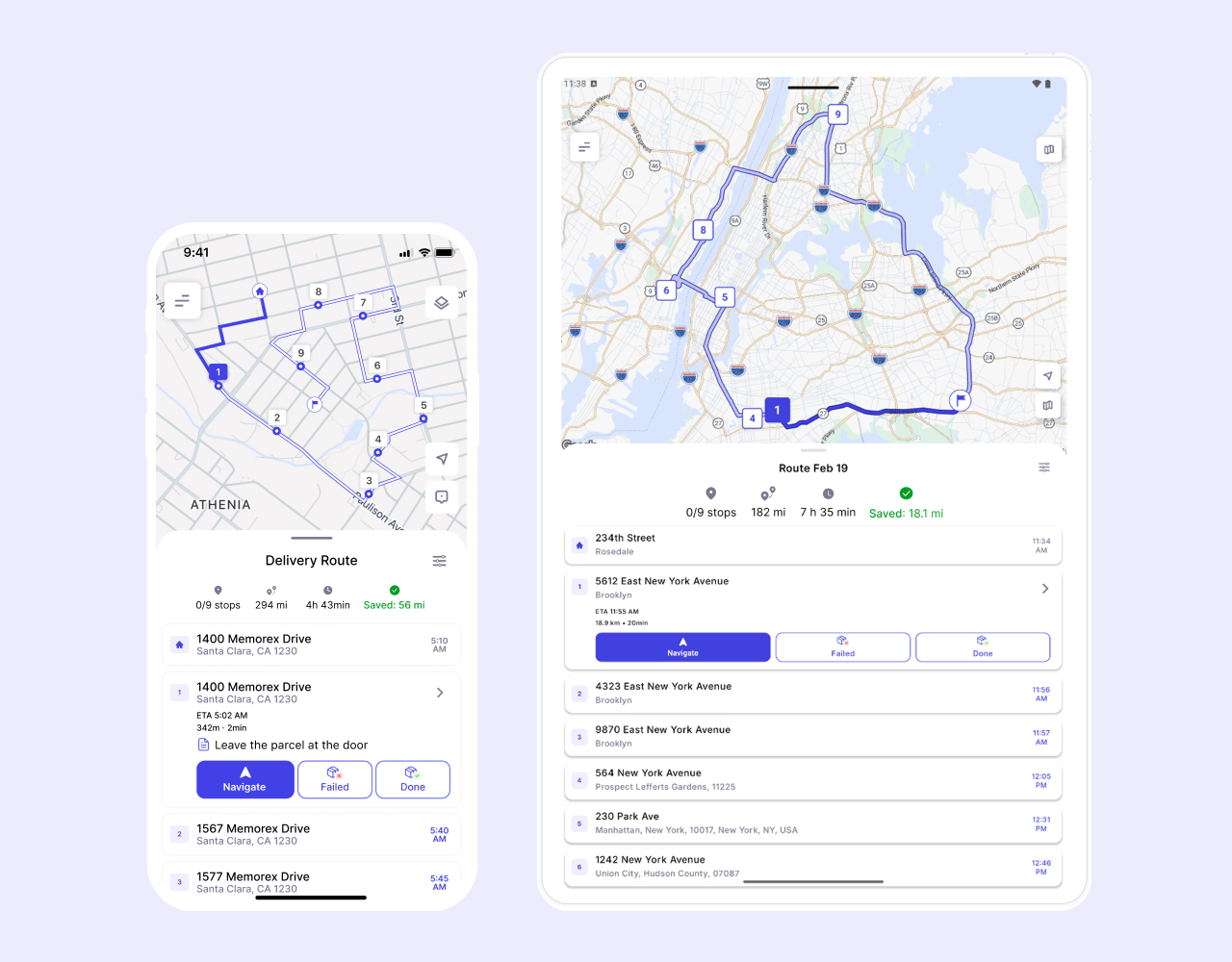
Optiway delivers mobile technician route optimization for real-world service teams. Routes can be quickly built each morning using bulk address input or manual entry. Drivers see the full day at a glance and can make real-time adjustments as conditions change.
Optiway supports service teams with:


Optimizing your stop order helps reduce drive time by keeping your route efficient and avoiding unnecessary backtracking. If plans change, you can add or edit a stop and re-optimize or keep your current order without rebuilding the entire route. You can also adjust stops on the map as you go to stay on track.
Optiway's service duration tracking improves planning accuracy. When average job times are factored into route creation, you are less likely to run late, and customers receive more reliable arrival windows.
Improve Daily Productivity Without Complex Software
Many service businesses hesitate to adopt routing tools because they fear complicated systems and long onboarding processes. Route optimization software for home services should simplify work, not add administrative layers.
Optiway is built with daily usability in mind. You can generate routes in minutes and make adjustments in only a few clicks. As an operations manager, you can save hours that you previously used to spend rearranging spreadsheets or calling technicians to confirm schedules.
With Optiway's smarter sequencing, you can complete more jobs per day without extending shifts. Reduced drive time means more billable hours and fewer fuel expenses. Moreover, the platform's appointment accuracy improves because routes reflect realistic travel and service durations. For franchise-based teams, this consistency translates into better customer reviews and more predictable performance across locations.
A Flexible Route Planner for Growing Service Teams
As service businesses expand, coordination becomes more complex. What worked for two technicians may not scale to 20. A system that supports multi-stop routing for repair professionals must grow alongside the team.
Optiway adapts well to solo drivers and small teams where each person plans their own route. Independent contractors can organize daily stops faster and stay focused during the day.
There's no complex setup or dispatcher workflow — just add stops, optimize, and start. As your workload grows or changes seasonally, you can create new routes anytime and adjust stops on the fly, so your planning stays efficient without adding process overhead.
Get Started with Smarter Service Routing Today
Every service appointment represents a promise to a customer. The easier it is to manage routes and schedules, the easier it is to keep that promise. Optiway gives home and field service teams a straightforward way to reduce drive time, deliver accurate appointment windows, and maximize customer satisfaction.
If you manage technicians in the field, this is the time to simplify your routing process. Get started with smarter service routing today and make every stop count with Optiway.
100K+ drivers already use Optiway
Whether you're a solo technician or managing a growing service team, planning routes should always be simple
Super easy to use and saves me at least an hour every day.
Before using this app, I was juggling addresses in Google Maps and wasting so much time stuck in traffic. What I love most is that I can reorder on the go when plans change, and the ETAs are always spot on. Honestly, it feels like having a dispatcher in my pocket.
I used to spend hours trying to plan my delivery routes. Now it takes minutes, and I finish my day earlier.
Make Every Service Stop Count
Reduce drive time, improve appointment accuracy, and maximize daily productivity with Optiway.
Try for Free NowOptiway Route Planner FAQs
Everything you need to know before you start
What is Optiway Route Planner and who is it for?
Optiway is a route planner designed for delivery drivers, field service technicians, and local businesses. It helps you organize stop lists into an efficient route, reduce driving time, and stay on schedule throughout the day.
It's a great fit for home service providers, independent contractors, repair professionals, and any team that runs daily multi-stop service routes.
How many stops can I add per route?
You can add and optimize up to 200 stops per route.
Can Optiway track service or job durations?
Yes. Optiway supports service duration settings so you can assign estimated job times to individual stops. This helps build realistic daily schedules and gives customers more accurate arrival windows.
How does Optiway handle last-minute schedule changes?
You can add, remove, or reorder stops at any time during the day. After making changes, you can re-optimize the remaining route in one tap or keep your current stop order — without rebuilding the entire schedule from scratch.
Is there a mobile app for field technicians?
Yes. Optiway has a mobile app for iOS and Android. Technicians can view their full stop list, navigate between jobs, mark stops as complete or failed, and make real-time adjustments — all from their phone.
Can I export routes and activity logs for reporting?
Yes. You can generate route reports in PDF or Excel format for record-keeping and billing purposes. Reports include route details, stop information, ETAs, and activity logs to help you document completed service calls.
Is there a free trial, and how does billing work?
Yes. You can start with a free trial.
After the trial ends, your subscription renews automatically unless canceled through your App Store or Google Play account. You can cancel anytime in your store settings.
You may also like...
Visit BlogBest Way to Plan Truck Routes: Why Google Maps Isn't Always Enough
Explore why Google Maps isn't always enough for commercial truck routing and how Optiway provides smarter, compliant, and optimized truck route planning.
Fastest Route vs Shortest Route: Which One Is Better for Delivery?
Understand the key differences between fastest and shortest routes, and learn which option can save more time and fuel for your delivery operation.
Plan your first optimized route today
Get the app now and optimize your first service route in minutes.
Try for Free Now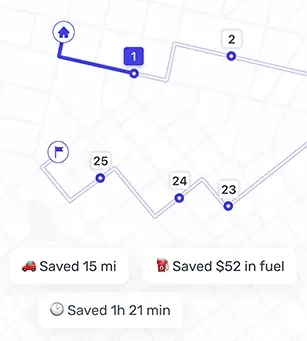
Optiway Web – Early Access
Get early access with exclusive discounts and priority onboarding. Limited spots available.