
Courier Route Planner App for Parcel Delivery
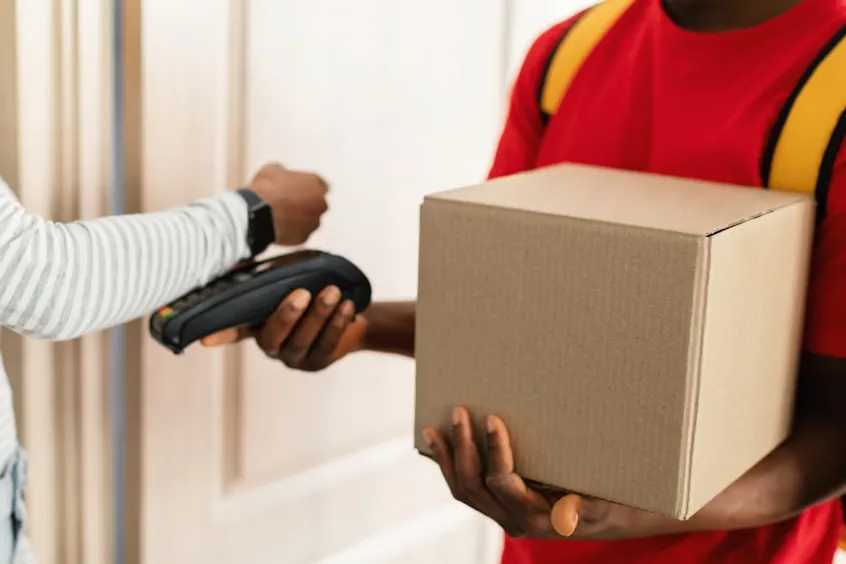
Why Parcel Delivery Routes Get Messy Fast
Parcel days spiral quickly once dense drop lists meet traffic, apartment access rules, tight time window deliveries, and last-minute add-ons. Couriers tackle buzzing phones, changing addresses, gate codes buried in messages, and customers asking for updates while vans idle at crowded curbs.
Failed delivery attempts grow when notes get missed or timing slips, which leads to returns and second runs that eat into the afternoon. A courier route planner app for parcel delivery deals with these pressures. Its use results in fewer wasted miles, higher on-time performance, and fewer failed attempts at delivery.
⚠️ Common pressure points in parcel delivery
Plan Multi Drop Routes in Minutes
Morning prep should not feel like a paperwork marathon. Couriers start with a long address list, paste it into the system, or upload a spreadsheet, and then build a workable route before engines turn over.

A multi drop parcel delivery app speeds up this stage, so planning never steals time from the road. Our multi stop route planner for couriers accepts bulk inputs and lines stops into a sensible order for dense urban runs. Couriers see a full route appear within minutes instead of sorting dozens of pins manually.
 Manual sorting (20 min)
Input addresses, manually plot each in Google Maps, mentally cluster by neighborhood.
 Manual entry: 15–20 min
Prone to errors
Manual entry: 15–20 min
Prone to errors
 Bulk import (< 2 min)
Upload an .xlsx of addresses — Optiway sorts stops automatically.
 Upload: 7 seconds
Route ready to drive
Upload: 7 seconds
Route ready to drive
Route Optimization Built for Dense Courier Runs
Parcel work punishes sloppy routing. Extra loops across town add fuel costs, and backtracking through the same streets burns daylight. Poor clustering turns simple neighborhoods into drawn-out slogs.
Our courier route planner app for parcel delivery supports tighter loops and shorter overall distances for crowded routes. The system arranges stops so couriers move through areas once instead of bouncing between far-flung addresses.
Multi-drop deliveries finish sooner because streets stay grouped and mileage drops across the full run. Our multi stop route planner for couriers targets last-mile logistics where block-by-block decisions stack up across one hundred doors. So, couriers reach more customers during a shift without stretching hours late into the evening.
Accurate ETAs Per Stop That Reduce Customer Pressure
Customer questions flood phones with "where is my package" messages once parcels run late. A courier delivery app with ETAs changes that dynamic across the entire day.
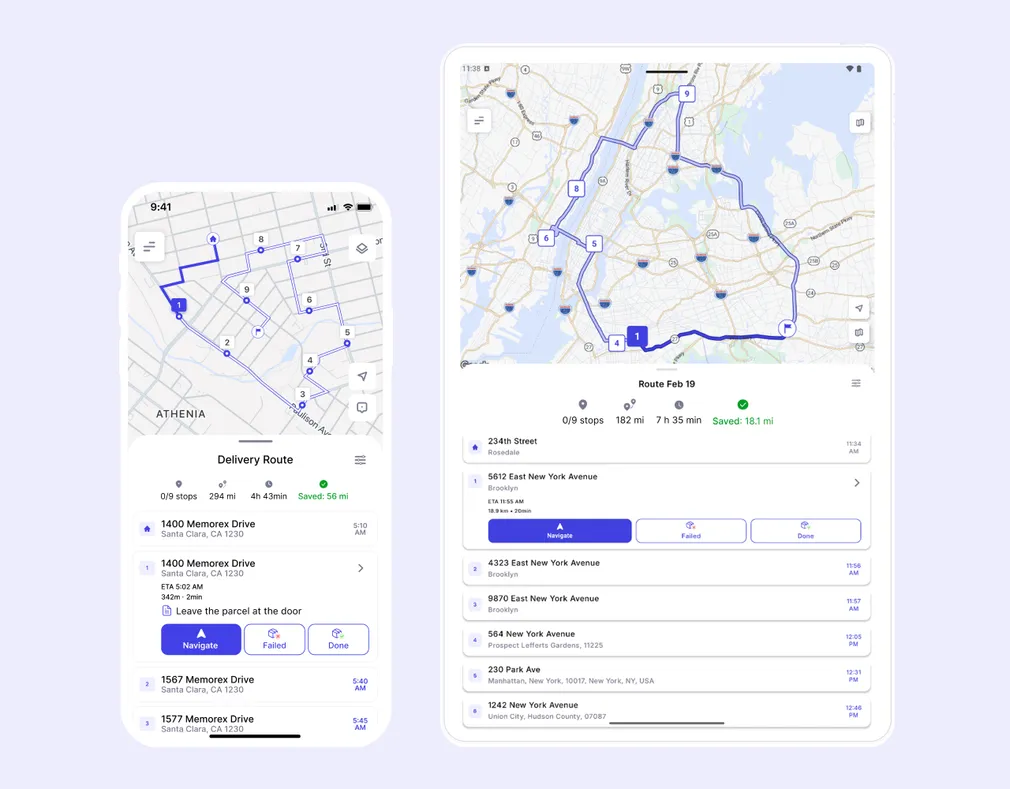
Each stop shows an updated ETA, helping couriers pace their runs. When a driver marks a stop, Optiway recalculates ETAs for the remaining route based on the actual pace. Missed windows fall away because timing stays realistic after traffic or access delays.
Driver Friendly Navigation That Keeps You Moving
Execution matters once the route leaves the depot. Drivers need the next stop visible immediately, fast handoff to turn-by-turn directions, and notes displayed where eyes already land. Our multi drop parcel delivery app shows the upcoming address, status, and instructions together so nothing is hidden in separate tools.
Couriers tap once to open their preferred map apps to follow directions and then return to the route list without extra screen switching. Special instructions, stop instructions, and access details travel with each stop for smoother handoffs at doors and docks.
Handle Changes On the Go Without Rebuilding the Day
Sometimes, cancellations appear after vans roll out and priority parcels enter mid-route. Stops may be cancelled, added, or rescheduled.
Our courier route planner app for parcel delivery supports these disruptions. Stops slide into new positions as routes are re-optimized, and priority stops automatically move to the top of the list when marked by the driver, keeping the rest of the sequence updated.
Key Benefits for Couriers and Parcel Teams
Our courier delivery app with ETAs offers daily results across dense parcel runs. Some of these results include:


Core Features for Parcel Delivery Operations
Behind these results is a set of tools designed for high-volume courier work and fast execution on crowded streets. Our app's core features include:


Who This Is For: Owner Operators to Growing Fleets
Our app is for:


As route count and team size increase, benefits do, too, because centralized planning and reliable ETAs reduce wasted miles across every vehicle. More importantly, faster stop sequencing:


100K+ drivers already use Optiway
Whether you're a single driver or a small team, planning routes should always be simple
Super easy to use and saves me at least an hour every day.
Before using this app, I was juggling addresses in Google Maps and wasting so much time stuck in traffic. What I love most is that I can reorder on the go when plans change, and the ETAs are always spot on. Honestly, it feels like having a dispatcher in my pocket.
I used to spend hours trying to plan my delivery routes. Now it takes minutes, and I finish my day earlier.
Try Optiway for Free Now
No credit card. No setup fee. Optimize your first route in under 2 minutes.
Try for Free NowOptiway Route Planner FAQs
Everything you need to know before you start
What is Optiway Route Planner and who is it for?
Optiway is a route planner designed for delivery drivers and local businesses. It helps you organize stop lists into an efficient route, reduce driving time, and stay on schedule throughout the day.
It's a great fit for couriers, pharmacies, florists, field service professionals, and any business that runs daily local deliveries.
How many stops can I add per route?
You can add and optimize up to 200 stops per route.
How is Optiway different from Google Maps?
Google Maps is mainly a navigation tool. If you add multiple stops, it typically keeps them in the order you entered — it doesn't automatically optimize the sequence.
Optiway is built specifically for multi-stop route optimization. It automatically reorders your stops into the most efficient route, so you drive less, save time, and finish faster.
Can I use Optiway for a small team or just one driver?
Optiway works perfectly for solo drivers and small teams where each driver creates and manages their own route.
Can I export routes, ETAs, and logs for accounting?
Yes. You can generate route reports in PDF or Excel format for accounting and record-keeping purposes.
Reports include route details, stop information, ETAs, and activity logs to help you document completed deliveries and track daily operations.
Does Optiway Route Planner support time windows?
Yes. You can set delivery time windows for individual stops. Optiway considers them during optimization to help you stay within schedule.
Is there a free trial, and how does billing work?
Yes. You can start with a free trial.
After the trial ends, your subscription renews automatically unless canceled through your App Store or Google Play account. You can cancel anytime in your store settings.
You may also like...
Visit BlogBest Way to Plan Truck Routes: Why Google Maps Isn't Always Enough
Explore why Google Maps isn't always enough for commercial truck routing and how Optiway provides smarter, compliant, and optimized truck route planning.
Fastest Route vs Shortest Route: Which One Is Better for Delivery?
Understand the key differences between fastest and shortest routes, and learn which option can save more time and fuel for your delivery operation.
Plan your first optimized route today
Get the app now and optimize your first delivery route in minutes.
Try for Free Now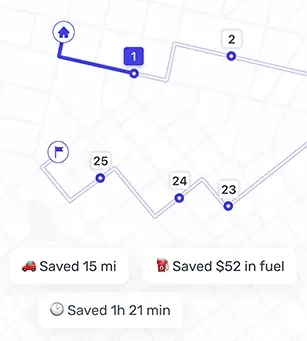
Optiway Web – Early Access
Get early access with exclusive discounts and priority onboarding. Limited spots available.