In delivery logistics, every extra stop complicates planning. Time leaks away, fuel costs balloon, and manual sequencing becomes a puzzle with too many pieces. If drivers follow inefficient plans, businesses feel the strain in customer satisfaction and operating cost.
Optiway tackles this complexity with precise routing automation. Built for logistics teams that juggle dozens of addresses daily, Optiway provides clarity and performance where manual effort fails.
Why is it necessary to optimize routes with multiple stops, and where does manual planning break down?
Optimizing multi-stop routes isn't just a "nice to have" feature. Efficiently planned rounds improve delivery speed, sharpen customer experience, and reduce unnecessary mileage. In contrast, tools designed for simple navigation — such as Google Maps — hit limits quickly when businesses outgrow basic use cases. Google Maps supports planning multiple stops up to a point, but it was never built as a full delivery route planner. You can add stops and adjust them manually by dragging in the list, but this becomes slow and cumbersome as the number of stops grows. In fact, Google Maps has a built-in limit for stops, and planning beyond that often requires workarounds.
For services like courier deliveries, field technicians, retail logistics, and distribution networks, automated optimization saves hours of work and minimizes guesswork.
Overview of Optiway's Route Planning Capabilities
Optiway stands out by combining several advanced features into one workflow:
- Smart routing algorithms that evaluate and sequence stops efficiently
- Traffic integration so routes reflect current conditions
- Customizable constraints such as time windows
- Easy data entry via manual input, bulk upload
Optiway's interface is designed for dispatchers and logistics managers who need results without technical friction.
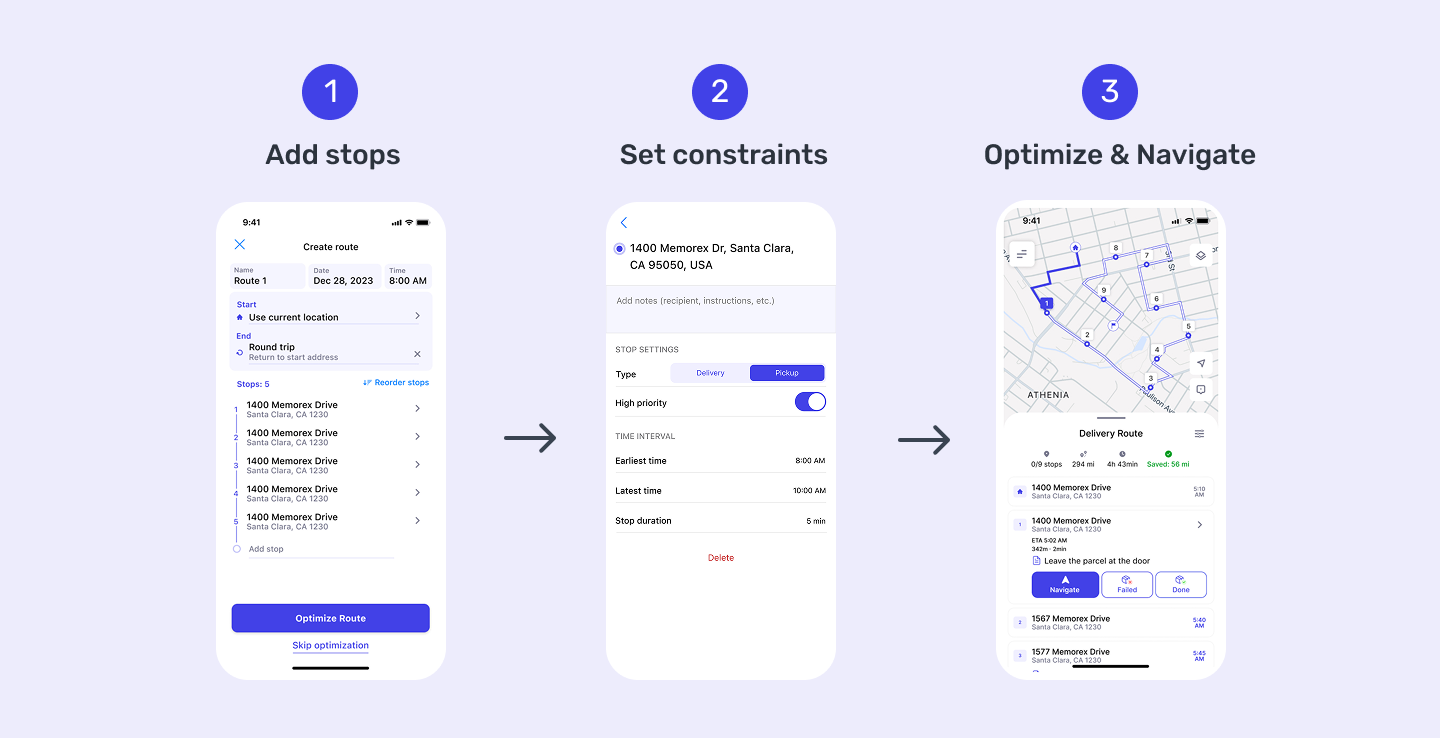
Step-by-Step: How to Map a Route with Multiple Stops in Optiway
Step 1: Log in to Your Optiway Account
Begin at the Optiway login page and open your dashboard. Account registration is available via Apple (for iOS), Gmail, and email. Once successfully registered, the user is taken to the main screen, where they see a button to create a route. From there, you will see tools for route planning.
Step 2: Input Your Delivery Addresses
Add stops by typing addresses directly or uploading them in bulk via a txt/xlsx file. Optiway supports address validation to catch errors before they cause routing problems.
Step 3: Set Priorities and Constraints
Before optimizing, set stop priorities such as specific time windows. You can create a route and follow it after optimization.
Step 4: Optimize the Route
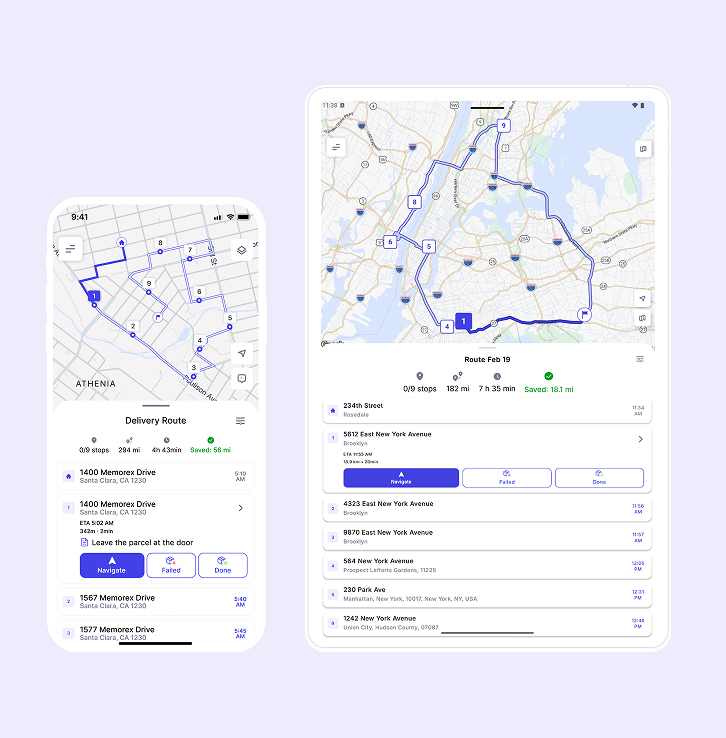
Once your data is ready, click "Optimize". Optiway uses its smart routing engine to sequence stops for minimum travel time and cost. You'll see a map preview and a clear sequence of stops that can be dispatched right away.
Key Features That Simplify Multi-Stop Planning
- Flexible rerouting if plans change
- Automated traffic awareness to anticipate congestion and delays
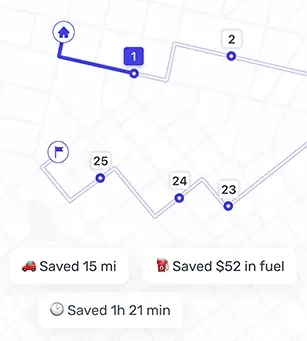
- Turn every route into an advantage: save time, distance, and cost
- Easy Exports — get the advantage of one-click txt-exports for smoother reporting
Benefits for Your Business
Using Optiway for multi-stop routing offers tangible gains:
- Significant reduction in planning time
- Lower fuel consumption through smart sequencing
- Improved on‑time delivery rates
Conclusion
Routing with many stops doesn't have to be a chore. Optiway's automated tools help logistics teams move from time‑consuming manual planning to intelligent, data‑driven route mapping. When your business grows, relying on simple navigation apps won't be enough — Optiway provides the capabilities needed to handle complexity with confidence. Ready to simplify your route planning? Try Optiway today and experience efficient multi‑stop routing firsthand!