Best Way to Plan Truck Routes: Why Google Maps Isn't Always Enough
Explore why Google Maps isn't always enough for commercial truck routing and how Optiway provides smarter, compliant, and optimized truck route planning.

Route Planning
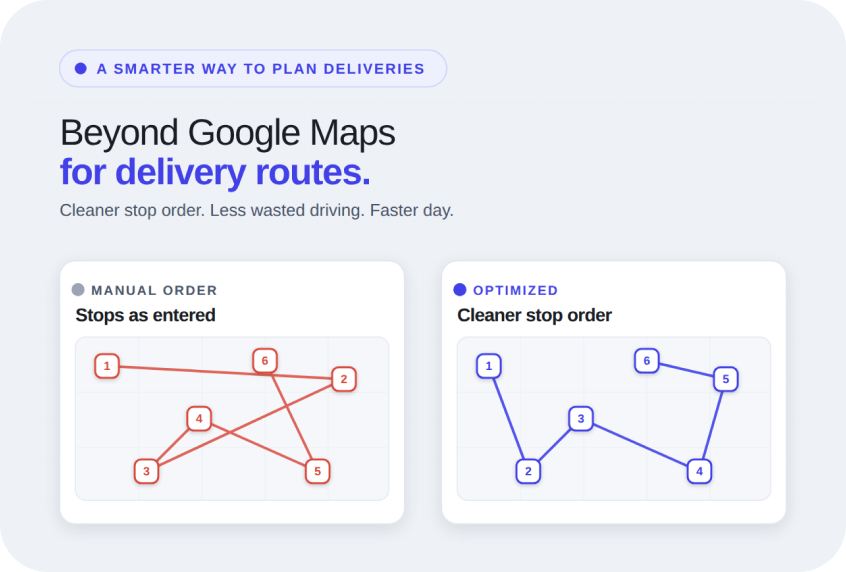
Delivery businesses usually start their day by opening Google Maps. The tool is familiar, easy to use, and works well when there are only a few stops to manage.
However, as deliveries become more frequent or routes get longer, that simple workflow starts to feel heavy. Entering addresses one by one, checking the stop order manually, and adjusting routes can turn a normal delivery day into unnecessary admin work.
At that point, most people look for a better way to plan deliveries. That is where a smarter route planner becomes useful. Such apps are built to help local delivery businesses plan cleaner stop orders, easier route setup, and less wasted driving.
When someone searches for a Google Maps alternative for delivery route planning, they are usually not trying to replace navigation. Instead, most of them are trying to fix the time lost before navigation even starts.
The issue is not directions. It is route building. Business owners and same-day delivery drivers often start with a list of addresses from orders or spreadsheets. Then comes the manual part: adding stops one by one, deciding the order, checking delivery timing, and trying to avoid unnecessary backtracking.
That process becomes harder as stop counts rise. A true alternative means moving from basic directions to proper multi-stop route planning.
Google Maps is excellent for getting from one place to another. It is less helpful when the job involves 20, 40, or 60 stops that all need to happen in the right order.
Drivers often end up entering addresses one at a time and manually deciding what stop should come next. If a customer changes their address or a same-day stop gets added, the route has to be adjusted again. That creates friction throughout the day.
This is why many businesses look for a delivery route planner alternative to Google Maps. They need clearer structure, better stop orders, and stronger stop-by-stop ETAs.
Most route planning problems come from repeated small inefficiencies, not major failures. The same issues show up across grocery deliveries, pharmacies, florists, and same-day courier work.
Some of the most common problems include:
Businesses looking for something better than Google Maps for delivery routes are usually trying to solve these problems through cleaner planning and easier address file import.
Delivery teams need less friction. The goal is not to replace one map app with another. It is to make daily planning faster and easier.
A useful route planner should help drivers quickly build routes, organize stops in a smarter order, and stay closer to promised delivery times without spending half the morning on setup.
It should also make small changes easy. If a stop gets canceled or a new order appears, the route should adapt without forcing a full rebuild.
A strong multi stop route planner Google Maps alternative improves route order optimization and keeps the workflow simple enough for real delivery days.
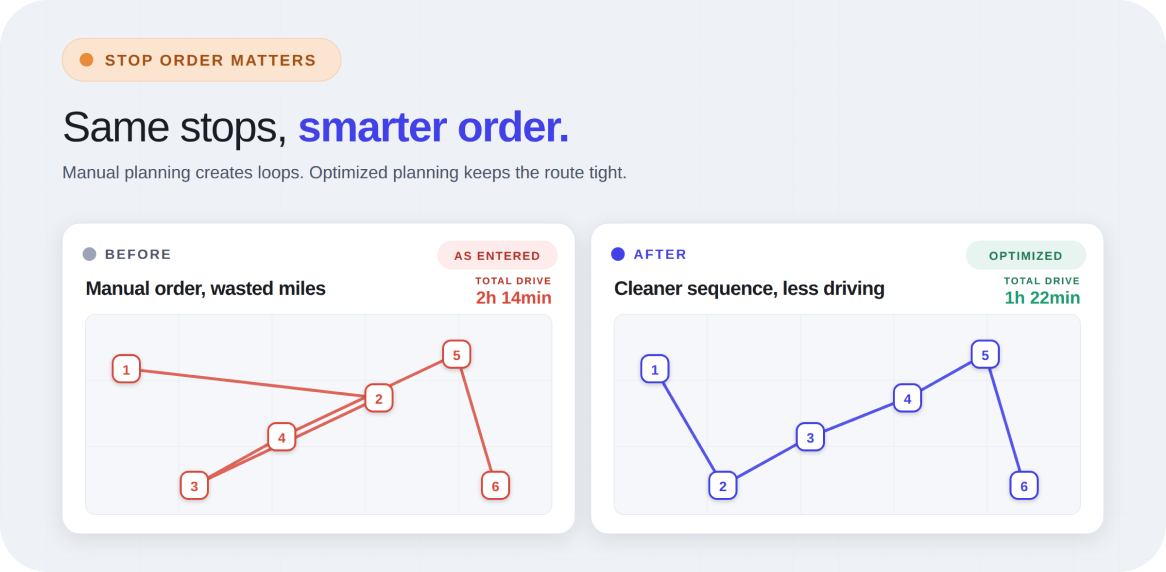
Most delivery delays start with a poor route order. Even if every address is correct, a route that jumps across town and then doubles back wastes time fast. Drivers feel it as longer days, higher fuel costs, and constant pressure to catch up.
Better sequencing changes that. When stops are grouped logically, deliveries flow more naturally. That reduces unnecessary driving and makes the route feel more manageable from the start.
A good delivery route planner with file import improves this by organizing local delivery routes for efficiency rather than relying on manual guesswork.
ETAs are helpful for customers and drivers alike. When arrival times are realistic, it becomes easier to understand how the day will unfold. Drivers can see which stops need attention first and where there is room to adjust.
For local deliveries, timing shapes customer trust. A realistic ETA helps keep expectations clear and reduces frustration when schedules are tight.
Better route planning creates better timing, and better timing makes the entire day feel calmer.
Sometimes, the route is fine, but the problem is the missing detail at the stop. A driver arrives at an apartment building without the gate code. Parking instructions were left in a text message. A customer asked for the side entrance, but that note never made it into the route.
These small issues create bigger delays than most people expect. A useful route planner keeps those details close to the stop itself, where they are actually needed.
Quick edits matter too. If a delivery note changes during the day, updating it should be simple. That kind of clarity saves time and protects the rest of the route.
Many delivery businesses already organize stops in spreadsheets before the day begins. That workflow is normal, but manually copying those addresses into a map app creates unnecessary work.
File import solves that. Instead of entering addresses one by one, drivers can upload a full list and start with the route already structured. That saves time, reduces typing mistakes, and makes larger routes much easier to manage.
This is especially useful for repeated local deliveries like pharmacy runs or furniture drop-offs, where the stop list changes often but the workflow stays similar.
There is usually a clear point where basic maps stop helping and start creating extra work. It happens when routes become multi-stop, repetitive, and time-sensitive. When customer expectations depend on better timing, manual planning starts costing more than it saves.
At that stage, a dedicated route planner means an easier workflow. Instead of managing separate tools for addresses, directions, and notes, everything works together in one place. That makes the day feel lighter, not more complicated.
Not every route planner solves the same problems. The right tool should reduce manual work, not replace it with new complexity.
Look for practical features like:
A good alternative should feel easier than the current process.
Optiway is built for the part that Google Maps does not handle well: organizing the full delivery day. It is a mobile route planner app that lets drivers create better stop orders, keep ETAs clearer, and carry delivery details where they are actually useful.
Drivers don't have to spend their mornings manually building routes. Instead, they can start faster and move through stops with less friction. That matters most when deliveries happen every day, and small inefficiencies keep repeating.
Google Maps still works for directions. However, when the real challenge is route planning, a dedicated tool becomes the smarter next step. Optiway makes that step practical without adding unnecessary complexity. For teams handling bulky drop-offs, the Furniture Delivery Route Planner App for Large Items guide gives a closer look at route planning for larger deliveries.
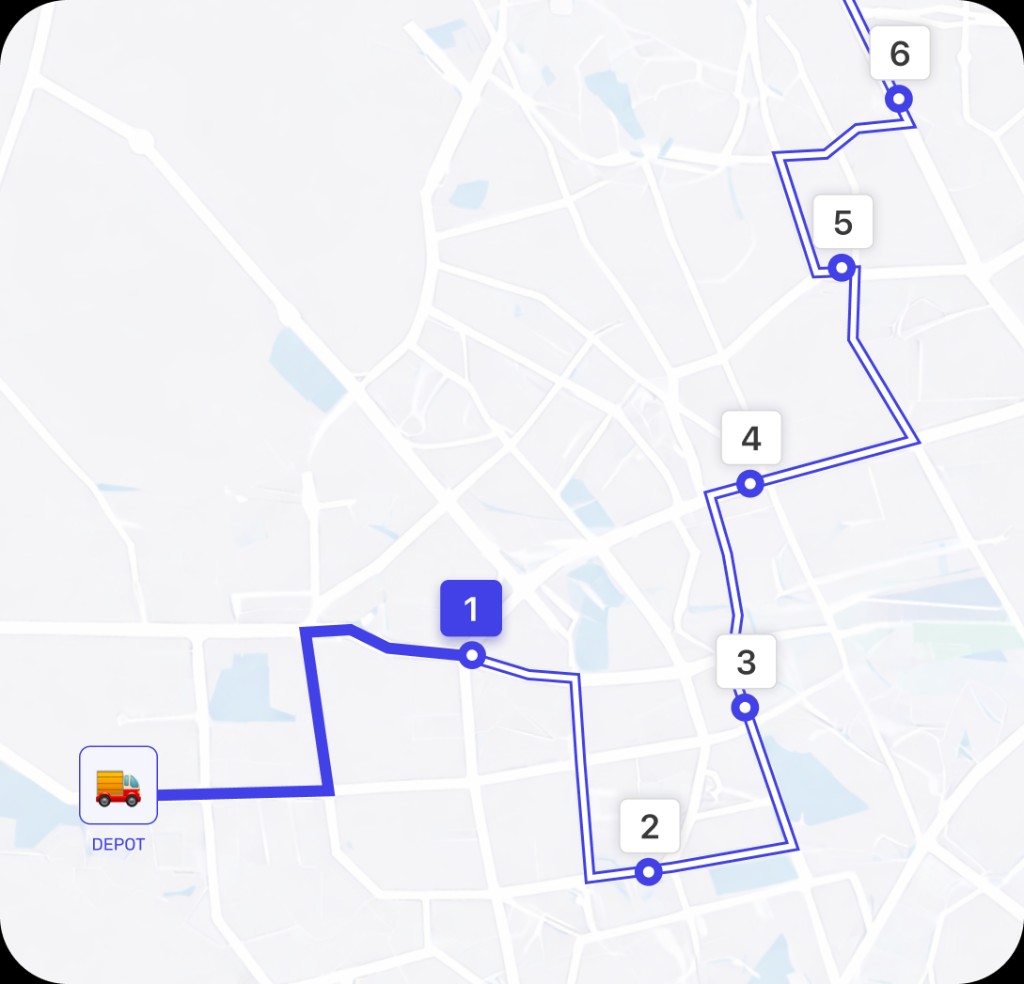
Best Way to Plan Truck Routes: Why Google Maps Isn't Always Enough
Explore why Google Maps isn't always enough for commercial truck routing and how Optiway provides smarter, compliant, and optimized truck route planning.
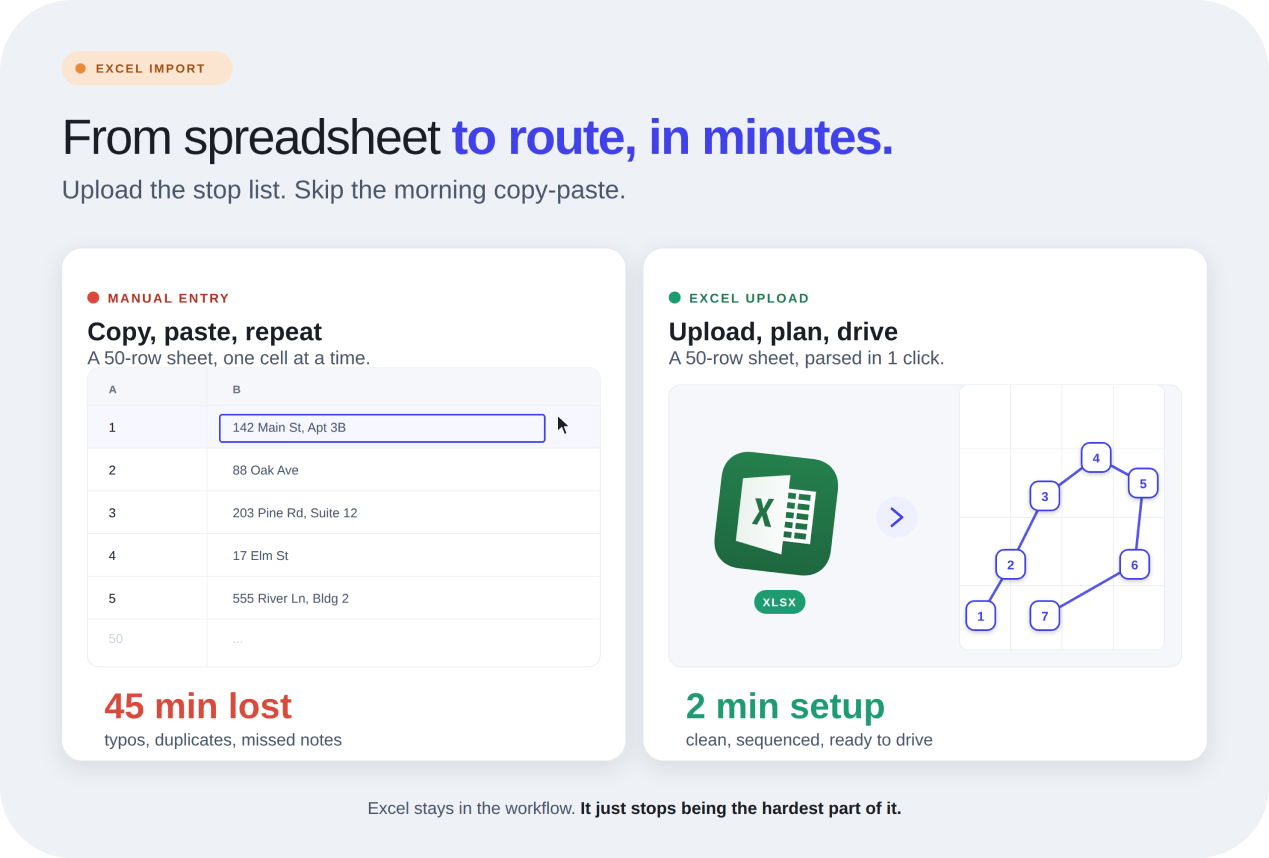
Delivery Route Planner With Excel Import
Hours disappear when addresses are copied by hand. Optiway helps local delivery businesses upload Excel stop lists, build cleaner routes, and get moving fast.
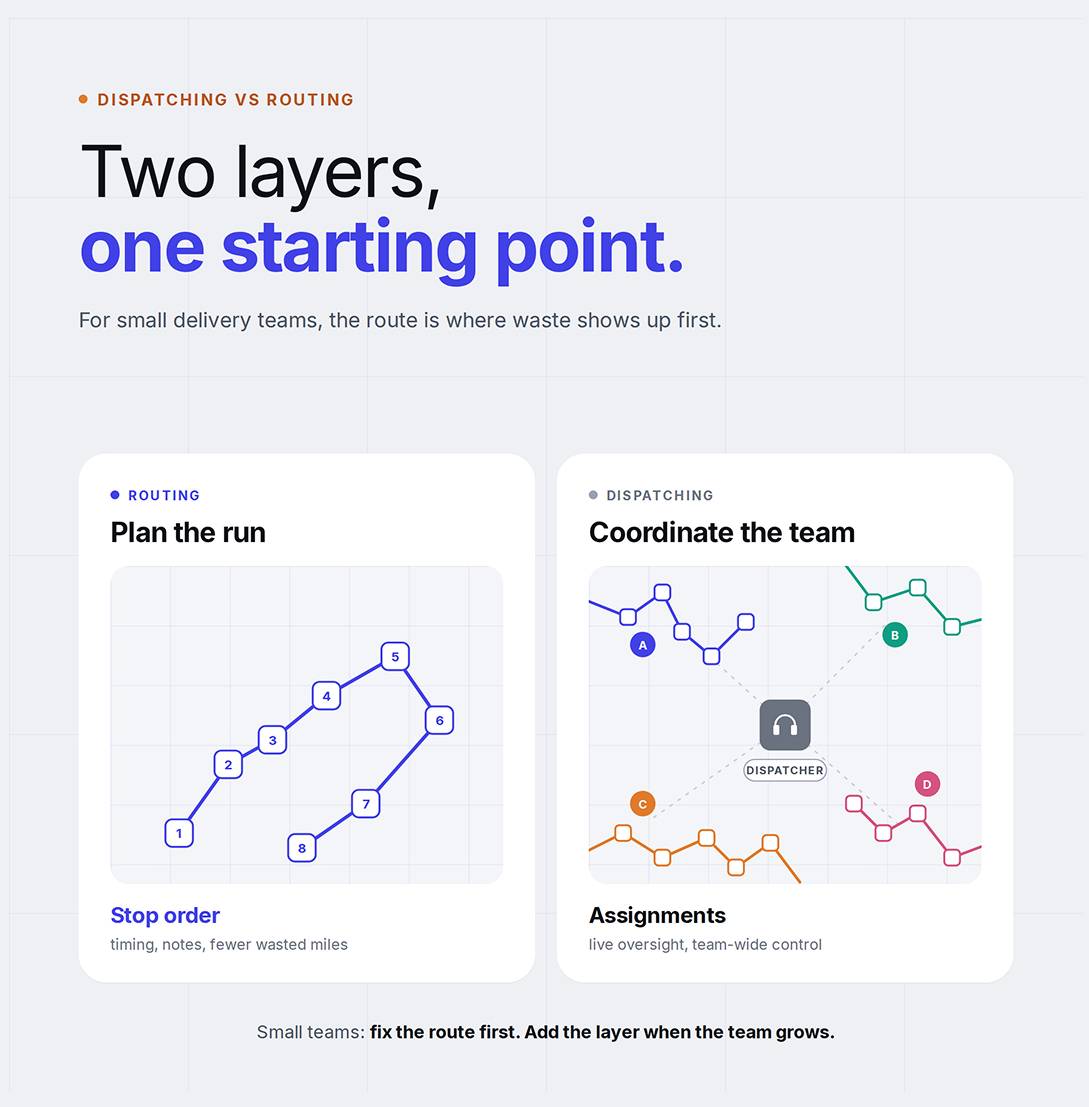
Dispatching vs Routing for Small Businesses
Why most small delivery teams get more value from better routes first.
Plan, assign and track every driver — live, from one dashboard.