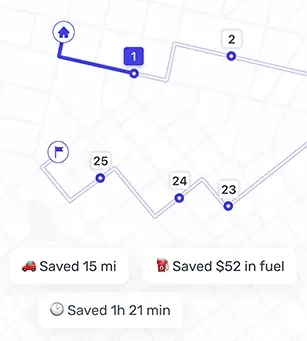
If you have a stack of addresses and a limited number of daylight hours, your route is either going to save your day — or quietly steal it. Delivery route planning is what separates a smooth run from the classic spiral of backtracking, missed turns, and that one stop you swear was “right here” five minutes ago.
This text breaks down what delivery route planning really is, why it matters, and how to build routes that feel sensible even when your list of stops is not.
What delivery route planning actually means
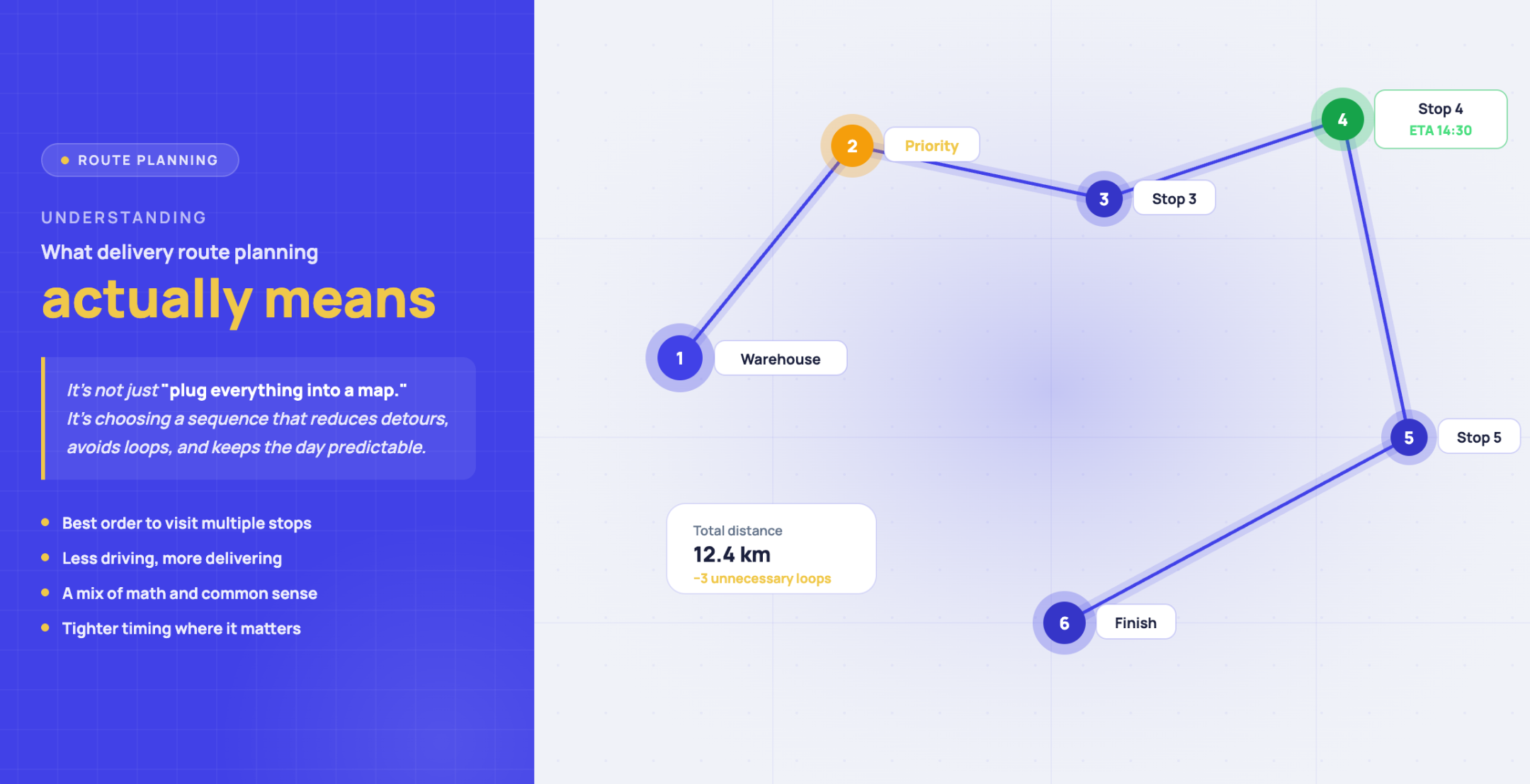
Delivery route planning is the process of deciding the best order to visit multiple stops so you spend less time driving and more time finishing. It is not just “plug everything into a map.” It is choosing a logical sequence that reduces detours, avoids unnecessary loops, and keeps the day predictable.
In practice, route planning is a mix of math and common sense: where you start, where you end, which stops have tighter timing, and which neighborhoods can be handled in one clean sweep.
Why route planning matters more than people expect
On paper, an extra 10 minutes here and there looks harmless. On the road, it multiplies fast. A few inefficient turns become a longer day, higher fuel spend, and more mental fatigue.
Good route planning helps you:
- Cut down drive time by removing backtracking and zigzags.
- Reduce fuel costs by tightening the path between stops.
- Stay consistent even when the day throws changes at you.
- Keep promises easier by arriving closer to when you said you would.
And there is a quieter benefit people forget: a clean plan is calmer. When the route makes sense, you spend less energy “managing the route in your head.”
Manual planning works - until it does not
Many routes start the same way: a spreadsheet, a notes app, and a map with too many pins. That approach can work for a small number of stops, especially when you know the area well.
The trouble shows up when the route gets bigger, or when changes happen mid‑day. Rebuilding the order by hand is slow, and it is easy to miss a smarter sequence you would not notice at a glance.
What route planning software should do for you
A solid route planner takes your stop list and turns it into a driving order that is shorter, cleaner, and easier to follow. The best ones also make it simple to adjust the route when your list changes.
With Optiway, for example, you can add stops manually, use voice input, or upload a file, then set notes, priorities, or time windows per stop before optimizing the route. Another detail that matters in real life: navigation should be frictionless. If you can jump into the map app you already use, you do not waste time fumbling between tools. Optiway supports one‑tap navigation into common navigation apps.
How to plan delivery routes that feel smooth
Start with clean stop data
Route tools cannot fix messy inputs. Before you optimize anything, make sure your addresses are complete and consistent. Apartment numbers, gate codes, and “call on arrival” details belong in your stop notes — not in your memory.
Decide the shape of your day
Are you ending where you started, or finishing somewhere else? A planner that supports one‑way trips and round trips makes this decision explicit, which prevents the common mistake of optimizing the middle while ignoring the ending.
Mark what is truly time‑sensitive
Not every stop is equal. Some locations have tighter timing, some customers expect a morning drop, and some addresses are simply harder to access. If your planner supports priorities and time windows, use them thoughtfully — not for every stop, only where it matters.
Optimize — then sanity‑check
Optimization is a great starting point, not a sacred verdict. After the route is generated, scan it like a human: does it keep you in the same area for a stretch, or bounce across town? Does it send you through an obvious bottleneck at the wrong time of day?
If you know your city has predictable congestion during certain hours, you can adjust your sequence to avoid the worst of it — without relying on anything “live.”
Keep the route flexible
Real routes change. Addresses get added. Stops get removed. A practical route planner should let you edit your current route quickly so you are not forced to restart from scratch. Optiway supports adding or removing stops and reordering when plans shift.
Save what you learned for next time
If you do similar routes repeatedly, small notes become gold: which buildings take longer, which streets are awkward to park on, which customers prefer a quick call first. Good planning is not only about the shortest path — it is about fewer surprises.
What to look for in route planning software
If you are comparing tools, focus on the parts that impact your day‑to‑day routine:
- Fast stop entry — manual, voice input, file import, minimal typing.
- Simple editing — reorder stops easily when the day changes.
- Priorities and time windows — so your route reflects real‑world timing needs.
- Navigation compatibility — open the route where you already navigate.
- Export options — useful when you want a record of the route details.
The best tool is the one you will actually use consistently. Fancy features do not help if they slow you down at 7:30 a.m. with coffee in one hand and 60 stops in the other.
Popular delivery route planning apps - and how to choose
There are plenty of route planning apps on the market. Some are built for complex operations, some are mobile‑first and meant for individual drivers, and some prioritize advanced scheduling. Your choice should match your reality: number of stops, how often routes change, and how quickly you need to build a route.
A practical shortcut: test your busiest day inside the tool. If it handles your worst‑case route cleanly, your normal days will feel easy.
How to set up your route for a smoother delivery day
Route planning is not only a “route” problem. Small habits around the route make the whole run smoother:
- Write notes like your future self is tired — gate codes, building quirks, exact entrance details.
- Build a tiny buffer — a couple of minutes between stops protects the sequence when one location runs long.
- Use priorities sparingly — too many “urgent” labels create noise instead of clarity.
- Keep your address list tidy — consistent formatting prevents duplicates and wrong pins.
When your route and your notes are clean, driving becomes the simple part again.
Delivery route planning FAQs
What are the benefits of route planning?
Route planning saves time and reduces driving distance by removing unnecessary detours. It also helps you keep a steadier rhythm across the day, which makes the whole run less stressful.
Can I plan routes without software?
Yes — especially for a small number of stops. But as routes grow, manual planning gets slower and easier to mess up. Software becomes valuable when you want a cleaner sequence quickly, plus an easy way to adjust when stops change.
What should I prepare before optimizing a route?
Have your start point, your full list of addresses, and any key timing requirements ready. Add helpful notes per stop. Then optimize, review the result, and tweak where your local knowledge says it makes sense.
What makes Optiway a good fit for multi‑stop routes?
It is built to make multi‑stop planning faster: quick stop entry (including file import), priorities and time windows, and easy adjustments when your route changes mid‑day — plus one‑tap navigation into your preferred map app.
A practical next step
Take one of your messiest route days — the one that usually runs long — and build it inside a route planner. When the route order becomes clean, you will feel it immediately: fewer U‑turns, fewer “why am I here again?” moments, and a day that ends closer to when you expected. Want to test it on a real shift? Try the multi‑stop route planner app for delivery drivers and see how much time and backtracking you can cut in one day.